The Python Handbook – Learn Python for Beginners
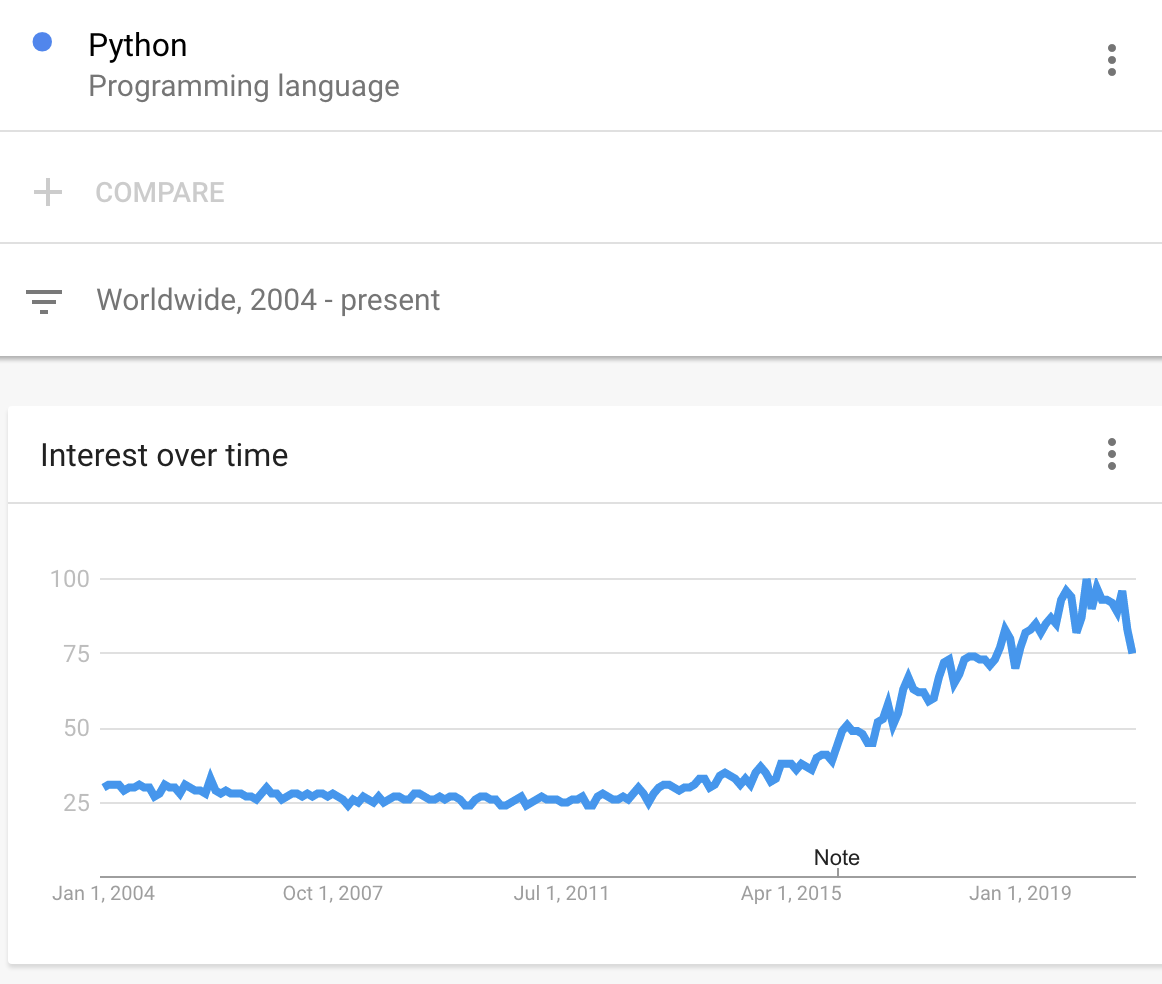
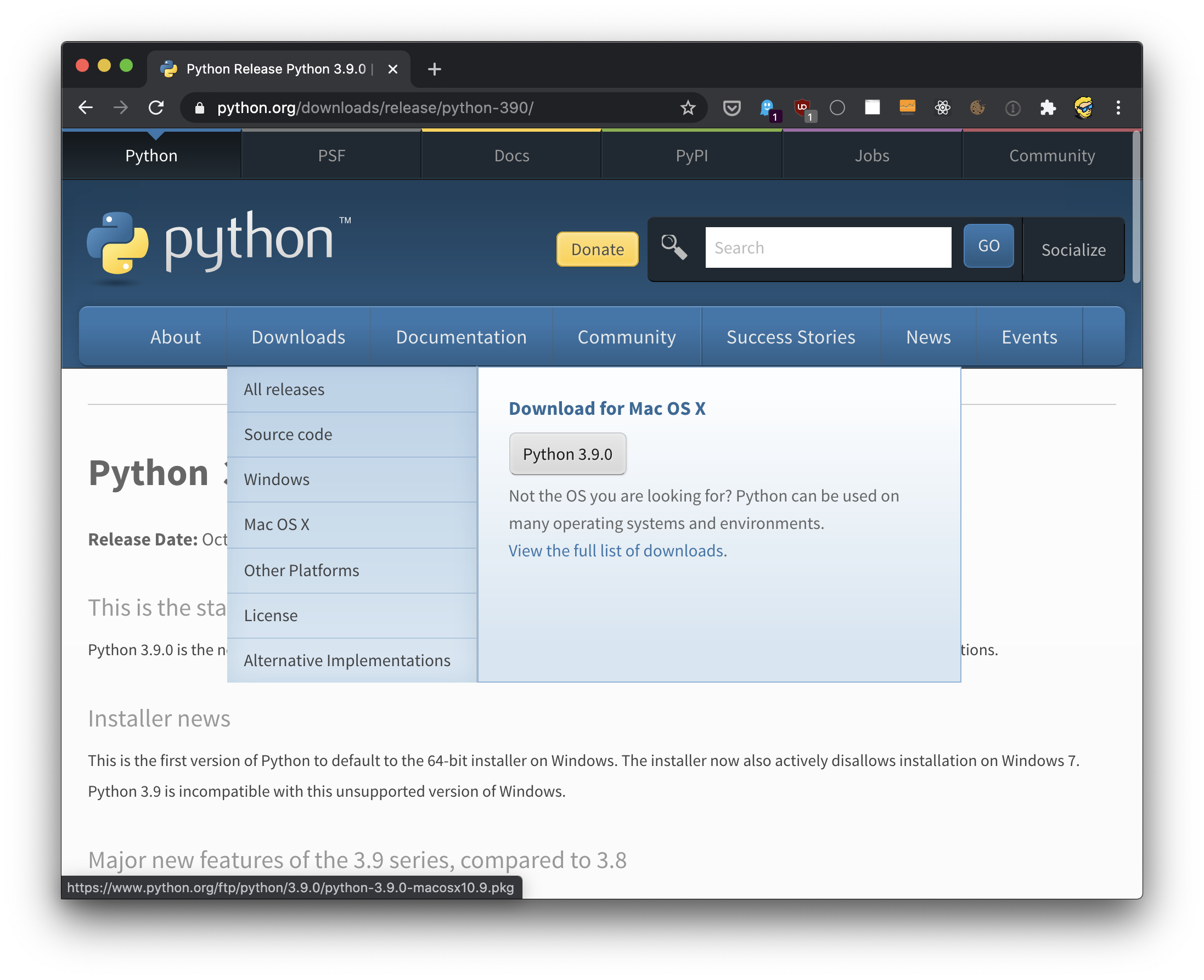
The Python Handbook follows the 80/20 rule: learn 80% of the topic in 20% of the time. I find this approach gives a well-rounded overview. This book does not try to cover everything under the sun related to Python. It focuses on the core of the language, trying to simplify the more complex topics. I hope the contents of this book will help you achieve what you want: learn the basics of Python. Note: You can get a PDF, ePub and Mobi version of this Python Handbook Enjoy! Python is literally eating the programming world. It is growing in popularity and usage in ways that are pretty much unprecedented in the history of computers. Python excels in a wide variety of scenarios – Shell scripting, task automation, and Web developmentare just some basic examples. Python is the language of choice for data analysisand machine learning, but it can also adapt to create games and work with embedded devices. Most importantly, it's the language of choice for introductory computer science coursesin universities all around the world. Many students learn Python as their first programming language. Many are learning it right now, and many more will learn it in the future. And for many of them, Python will be the only programming language they need. Thanks to this unique position, Python is likely going to grow even more in the future. The language is simple, expressive, and it's quite straightforward. The ecosystem is huge. There seems to be a library for everything you can imagine. Python is a high-level programming language suitable for beginners thanks to its intuitive syntax, its huge community, and its vibrant ecosystem. It is also appreciated by professionals across many different fields. Technically speaking Python is an interpreted language that does not have an intermediate compilation phase like a compiled language, for example C or Java. And like many interpreted languages, it is dynamically typed. This means that you do not have to indicate the types of the variables you use, and variables are not tied to a specific type. This has pros and cons. In particular, you write programs faster, but on the other hand you have less help from the tools to prevent possible bugs. This means that you will find out about certain issues only by executing the program at runtime. Python supports a wide variety of different programming paradigms, including procedural programming, object oriented programming, and functional programming. It's flexible enough to adapt to a lot of different needs. Created in 1991 by Guido van Rossum, it's been rising in popularity - especially in the past 5 years, as this Google Trends infographic shows: Starting with Python is very easy. All you need is to install the official package from python.org, for Windows, macOS or Linux, and you're ready to go. If you are new to programming, in the following posts I will guide you to go from zero to becoming a Python programmer. And even if you are currently a programmer who specializes in another language, Python is a language worth knowing because I think it's only going to keep growing from here. Lower level languages like C++ and Rust might be great for expert programmers, but they're daunting to begin with, and they take a long time to master. Python, on the other hand, is a programming language for everyone – students, people doing their day jobs with Excel, scientists, and more. It's the language everyone interested in coding should learn first. Go to https://www.python.org, choose the Downloads menu, choose your operating system, and a panel with a link to download the official package will appear: Make sure you follow the specific instructions for your operating system. On macOS you can find a detailed guide on https://flaviocopes.com/python-installation-macos/. There are a few different ways to run Python programs. In particular, there's a distinction between using interactive prompts, where you type Python code and it's immediately executed, and saving a Python program into a file and executing that. Let's start with interactive prompts. If you open your terminal and type This is the Python REPL (Read-Evaluate-Print-Loop). Notice the For example try defining a new variable using and then print its value, using Note: in the REPL, you can also just type Any line of Python you write here is going to be executed immediately. Type You can access the same interactive prompt using the IDLE application that's installed by Python automatically: This might be more convenient for you because with the mouse you can move around and copy/paste more easily than with the terminal. Those are the basics that come with Python by default. However I recommend that you install IPython, probably the best command line REPL application you can find. Install it with Make sure the pip binaries are in your path, then run The second way to run a Python program is to write your Python program code into a file, for example and then run it with Note that we save Python programs with the In this case the program is executed as a whole, not one line at a time. And that's typically how we run programs. We use the REPL for quick prototyping and for learning. On Linux and macOS, a Python program can also be transformed into a shell script, by prepending all its content with a special line that indicates which executable to use to run it. On my system the Python executable is located in Then I can set execution permission on the file: and I can run the program with This is especially useful when you write scripts that interact with the terminal. We have many other ways to run Python programs. One of them is using VS Code, and in particular the official Python extension from Microsoft: After installing this extension you will have Python code autocompletion and error checking, automatic formatting and code linting with Python: Start REPLto run the REPL in the integrated terminal: Python: Run Python File in Terminalto run the current file in the terminal: Python: Run Current File in Python Interactive Window: and many more. Just open the command palette (View -> Command Palette, or Cmd-Shift-P) and type Another way to easily run Python code is to use repl.it, a very nice website that provides a coding environment you can create and run your apps on, in any language, Python included: Signup (it's free), then under "create a repl" click Python: and you will be immediately shown an editor with a Once you have some code, click "Run" to run it on the right side of the window: I think repl.it is handy because: One key topic we should address, right from the start, is the Python 2 vs Python 3 discussion. Python 3 was introduced in 2008, and it's been in development as the main Python version, while Python 2 continued being maintained with bug fixes and security patches until early 2020. On that date, Python 2 support was discontinued. Many programs are still written using Python 2, and organizations still actively work on those, because the migration to Python 3 is not trivial and it would require a lot of work to upgrade those programs. And large and important migrations always introduce new bugs. But new code, unless you have to adhere to rules set by your organization that forces Python 2, should always be written in Python 3. This book focuses on Python 3. We can create a new Python variable by assigning a value to a label, using the In this example we assign a string with the value "Roger" to the Here's an example with a number: A variable name can be composed of characters, numbers, and the These are invalidvariable names: Other than that, anything is valid unless it's a Python keyword. There are some keywords like There's no need to memorize them, as Python will alert you if you use one of those as a variable, and you will gradually recognize them as part of the Python programming language syntax. We can expressionany sort of code that returns a value. For example A statement, on the other hand, is an operation on a value. For example these are 2 statements: A program is formed by a series of statements. Each statement is put on its own line, but you can use a semicolon to have more than one statement on a single line: In a Python program, everything after a hash mark is ignored, and considered a comment: Indentation in Python is meaningful. You cannot indent randomly like this: Some other languages do not have meaningful whitespace, but in Python, indentation matters. In this case, if you try to run this program you would get a Everything indented belongs to a block, like a control statement or conditional block, or a function or class body. We'll see more about those later on. Python has several built-in types. If you create the You can check the type of a variable by using the Or using Notice that to see the We used the First, we have numbers. Integer numbers are represented using the You saw how to create a type from a value literal, like this: Python automatically detects the type from the value type. You can also create a variable of a specific type by using the class constructor, passing a value literal or a variable name: You can also convert from one type to another by using the class constructor. Python will try to determine the correct value, for example extracting a number from a string: This is called casting. Of course this conversion might not always work depending on the value passed. If you write Those are just the basics of types. We have a lot more types in Python: and more! We'll explore them all soon. Python operators are symbols that we use to run operations upon values and variables. We can divide operators based on the kind of operation they perform: plus some interesting ones like The assignment operator is used to assign a value to a variable: Or to assign a variable value to another variable: Since Python 3.8, the Python has a number of arithmetic operators: Note that you don't need a space between the operands, but it's good for readability. We can combine the assignment operator with arithmetic operators: Example: Python defines a few comparison operators: You can use those operators to get a boolean value ( Python gives us the following boolean operators: When working with Otherwise, pay attention to a possible source of confusion: The Python docs describe it as The Python docs describe it as Some operators are used to work on bits and binary numbers: Bitwise operators are rarely used, only in very specific situations, but they are worth mentioning. The ternary operator in Python allows you to quickly define a conditional. Let's say you have a function that compares an Instead of writing: You can implement it with the ternary operator in this way: First you define the result if the condition is True, then you evaluate the condition, then you define the result if the condition is false: A string in Python is a series of characters enclosed in quotes or double quotes: You can assign a string value to a variable: You can concatenate two strings using the You can append to a string using You can convert a number to a string using the This is essential to concatenate a number to a string: A string can be multi-line when defined with a special syntax, enclosing the string in a set of 3 quotes: A string has a set of built-in methods, like: and many more. None of those methods alter the original string. They return a new, modified string instead. For example: You can use some global functions to work with strings, too. In particular I think of The Escaping is a way to add special characters into a string. For example, how do you add a double quote into a string that's wrapped into double quotes? The way to go is to escape the double quote inside the string, with the This applies to single quotes too Given a string, you can get its characters using square brackets to get a specific item, given its index, starting from 0: Using a negative number will start counting from the end: You can also use a range, using what we call slicing: Python provides the Booleans are especially useful with conditional control structures like When evaluating a value for You can check if a value is a boolean in this way: Or using The global The global Numbers in Python can be of 3 types: Integer numbers are represented using the You can also define an integer number using the To check if a variable is of type Floating point numbers (fractions) are of type Or using the To check if a variable is of type Complex numbers are of type You can define them using a value literal: or using the Once you have a complex number, you can get its real and imaginary part: Again, to check if a variable is of type You can perform arithmetic operations on numbers, using the arithmetic operators: and you can use the compound assignment operators to quickly perform operations on variables, too: There are 2 built-in functions that help with numbers: You can specify a second parameter to set the decimal point's precision: Several other math utility functions and constants are provided by the Python standard library: We'll explore some of those separately later on. Python has no way to enforce that a variable should be a constant. The nearest you can get is to use an enum: And get to each value using, for example, No one can reassign that value. Otherwise if you want to rely on naming conventions, you can adhere to this one: declare variables that should never change uppercase: No one will prevent you from overwriting this value, and Python will not stop it. That's what most Python code does that you will see. Enums are readable names that are bound to a constant value. To use enums, import Then you can initialize a new enum in this way: Once you do so, you can reference Now if you try to print it will not return The same value can be reached by the number assigned in the enum: You can, however, get the value using You can list all the possible values of an enum: You can count them: In a Python command line application you can display information to the user using the We can also accept input from the user, using This approach gets input at runtime, meaning the program will stop execution and will wait until the user types something and presses the You can also do more complex input processing and accept input at program invocation time, and we'll see how to do that later on. This works for command line applications. Other kinds of applications will need a different way of accepting input. When you're dealing with booleans, and expressions that return a boolean in particular, we can make decisions and take different roads depending on their In Python we do so using the When the condition test resolves to What is a block? A block is that part that is indented one level (4 spaces usually) on the right: The block can be formed by a single line, or multiple lines as well, and it ends when you move back to the previous indentation level: In combination with And you can have different linked The second block in this case is executed if In a Example: Lists are an essential Python data structure. The allow you to group together multiple values and reference them all with a common name. For example: A list can hold values of different types: You can check if an item is contained in a list with the A list can also be defined as empty: You can reference the items in a list by their index, starting from zero: Using the same notation you can change the value stored at a specific index: You can also use the As with strings, using a negative index will start searching from the end: You can also extract a part of a list, using slices: Get the number of items contained in a list using the You can add items to the list by using a list or the extend() method: You can also use the Tip: with Remove an item using the You can add multiple elements using These append the item to the end of the list. To add an item in the middle of a list, at a specific index, use the To add multiple items at a specific index, you need to use slices: Sort a list using the Tip: sort() will only work if the list holds values that can be compared. Strings and integers for example can't be compared, and you'll get an error like The instead. Sorting modifies the original list content. To avoid that, you can copy the list content using or use the that will return a new list, sorted, instead of modifying the original list. Tuples are another fundamental Python data structure. They allow you to create immutable groups of objects. This means that once a tuple is created, it can't be modified. You can't add or remove items. They are created in a way similar to lists, but using parentheses instead of square brackets: A tuple is ordered, like a list, so you can get its values by referencing an index value: You can also use the As with strings and lists, using a negative index will start searching from the end: You can count the items in a tuple with the You can check if an item is contained in a tuple with the You can also extract a part of a tuple, using slices: Get the number of items in a tuple using the You can create a sorted version of a tuple using the You can create a new tuple from existing tuples using the Dictionaries are a very important Python data structure. While lists allow you to create collections of values, dictionaries allow you to create collections of key / value pairs. Here is a dictionary example with one key/value pair: The key can be any immutable value like a string, a number or a tuple. The value can be anything you want. A dictionary can contain multiple key/value pairs: You can access individual key values using this notation: Using the same notation you can change the value stored at a specific index: And another way is using the The The You can check if a key is contained into a dictionary with the Get a list with the keys in a dictionary using the Get the values using the Get a dictionary length using the You can add a new key/value pair to the dictionary in this way: You can remove a key/value pair from a dictionary using the To copy a dictionary, use the copy() method: Sets are another important Python data structure. We can say they work like tuples, but they are not ordered, and they are mutable. Or we can say they work like dictionaries, but they don't have keys. They also have an immutable version, called You can create a set using this syntax: Sets work well when you think about them as mathematical sets. You can intersect two sets: You can create a union of two sets: You can get the difference between two sets: You can check if a set is a superset of another (and of course if a set is a subset of another): You can count the items in a set with the You can get a list from the items in a set by passing the set to the You can check if an item is contained in a set with the A function lets us create a set of instructions that we can run when needed. Functions are essential in Python and in many other programming languages. They help us create meaningful programs, because they allow us to decompose a program into manageable parts, and they promote readability and code reuse. Here is an example function called This is the function definition. Thereis a name ( To run this function, we must call it. This is the syntax to call the function: We can execute this function once, or multiple times. The name of the function, A function can accept one or more parameters: In this case we call the function by passing the argument We call parametersthe values accepted by the function inside the function definition, and argumentsthe values we pass to the function when we call it. It's common to get confused about this distinction. An argument can have a default value that's applied if the argument is not specified: Here's how we can accept multiple parameters: In this case we call the function passing a set of arguments: Parameters are passed by reference. All types in Python are objects, but some of them are immutable, including integers, booleans, floats, strings, and tuples. This means that if you pass them as parameters and you modify their value inside the function, the new value is not reflected outside of the function: If you pass an object that's not immutable, and you change one of its properties, the change will be reflected outside. A function can return a value, using the When the function meets the We can omit the value: We can have the return statement inside a conditional, which is a common way to end a function if a starting condition is not met: If we call the function passing a value that evaluates to You can return multiple values by using comma separated values: In this case calling Everything in Python is an object. Even values of basic primitive types (integer, string, float..) are objects. Lists are objects, as are tuples, dictionaries, everything. Objects have attributesand methodsthat can be accessed using the dot syntax. For example, try defining a new variable of type This includes, for example, access to the real and imaginary part of that number: A variable holding a list value has access to a different set of methods: The methods depend on the type of value. The Your memory value will change - I am only showing it as an example. If you assign a different value to the variable, its address will change, because the content of the variable has been replaced with another value stored in another location in memory: But if you modify the object using its methods, the address stays the same: The address only changes if you reassign a variable to another value. Some objects are mutable, while others are immutable. This depends on the object itself. If the object provides methods to change its content, then it's mutable. Otherwise it's immutable. Most types defined by Python are immutable. For example an and you check with Loops are one essential part of programming. In Python we have 2 kinds of loops: while loopsand for loops. This is an infinite loop. It never ends. Let's halt the loop right after the first iteration: In this case, the first iteration is run, as the condition test is evaluated to It's common to have a counter to stop the iteration after some number of cycles: Using For example we can iterate the items in a list: Or, you can iterate a specific amount of times using the To get the index, you should wrap the sequence into the Both The first example here prints In addition to using the Python-provided types, we can declare our own classes, and from classes we can instantiate objects. An object is an instance of a class. A class is the type of an object. We can define a class in this way: For example let's define a Dog class A class can define methods: We create an instance of a class, an object, using this syntax: Now If you run You will get A special type of method, We use it in this way: One important feature of classes is inheritance. We can create an Animal class with a method and the Dog class can inherit from Animal: Now creating a new object of class Every Python file is a module. You can import a module from other files, and that's the base of any program of moderate complexity, as it promotes a sensible organization and code reuse. In the typical Python program, one file acts as the entry point. The other files are modules and expose functions that we can call from other files. The file We can import this function from another file using Or, we can use the The first strategy allows us to load everything defined in a file. The second strategy lets us pick the things we need. Those modules are specific to your program, and importing depends on the location of the file in the filesystem. Suppose you put In that folder, you need to create an empty file named Now you can choose - you can import or you can reference the Python exposes a lot of built-in functionality through its standard library. The standard library is a huge collection of all sort of utilities, ranging from math utilities to debugging to creating graphical user interfaces. You can find the full list of standard library modules here: https://docs.python.org/3/library/index.html Some of the important modules are: Let's introduce how to usea module of the standard library. You already know how to use modules you create, importing from other files in the program folder. Well that's the same with modules provided by the standard library: or We'll soon explore the most important modules individually to understand what we can do with them. When you write code, you should adhere to the conventions of the programming language you use. If you learn the right naming and formatting conventions right from the start, it will be easier to read code written by other people, and people will find your code easier to read. Python defines its conventions in the PEP8 style guide. PEP stands for Python Enhancement Proposalsand it's the place where all Python language enhancements and discussions happen. There are a lot of PEP proposals, all available at https://www.python.org/dev/peps/. PEP8 is one of the first ones, and one of the most important, too. It defines the formatting and also some rules on how to write Python in a "pythonic" way. You can read its full content here: https://www.python.org/dev/peps/pep-0008/ but here's a quick summary of the important points you can start with: Debugging is one of the best skills you can learn, as it will help you in many difficult situations. Every language has its debugger. Python has You debug by adding one breakpoint into your code: You can add more breakpoints if needed. When the Python interpreter hits a breakpoint in your code, it will stop, and it will tell you what is the next instruction it will run. Then and you can do a few things. You can type the name of any variable to inspect its value. You can press You can press You can press You can press Debugging is useful to evaluate the result of an instruction, and it's especially good to know how to use it when you have complex iterations or algorithms that you want to fix. When you declare a variable, that variable is visible in parts of your program, depending on where you declare it. If you declare it outside of any function, the variable is visible to any code running after the declaration, including functions: We call it a global variable. If you define a variable inside a function, that variable is a local variable, and it is only visible inside that function. Outside the function, it is not reachable: Python offers several ways to handle arguments passed when we invoke the program from the command line. So far you've run programs either from a REPL, or using You can pass additional arguments and options when you do so, like this: A basic way to handle those arguments is to use the You can get the arguments passed in the The This is a simple way, but you have to do a lot of work. You need to validate arguments, make sure their type is correct, and you need to print feedback to the user if they are not using the program correctly. Python provides another package in the standard library to help you: First you import Then you proceed to add arguments you want to accept.For example in this program we accept a If the argument is not specified, the program raises an error: You can set an option to have a specific set of values, using There are more options, but those are the basics. And there are community packages that provide this functionality, too, like Click and Python Prompt Toolkit. Lambda functions (also called anonymous functions) are tiny functions that have no name and only have one expression as their body. In Python they are defined using the The body must be a single expression - an expression, not a statement. This difference is important. An expression returns a value, a statement does not. The simplest example of a lambda function is a function that doubles the value of a number: Lambda functions can accept more arguments: Lambda functions cannot be invoked directly, but you can assign them to variables: The utility of lambda functions comes when combined with other Python functionality, for example in combination with A function in Python can call itself. That's what recursion is. And it can be pretty useful in many scenarios. The common way to explain recursion is by using the factorial calculation. The factorial of a number is the number Using recursion we can write a function that calculates the factorial of any number: If inside the Recursion is helpful in many places, and it helps us simplify our code when there's no other optimal way to do it, so it's good to know this technique. Functions in Python can be nested inside other functions. A function defined inside a function is visible only inside that function. This is useful to create utilities that are useful to a function, but not useful outside of it. You might ask: why should I be "hiding" this function, if it does no harm? One, because it's always best to hide functionality that's local to a function, and is not useful elsewhere. Also, because we can make use of closures (more on this later). Here is an example: If you want to access a variable defined in the outer function from the inner function, you first need to declare it as This is useful especially with closures, as we'll see next. If you return a nested function from a function, that nested function has access to the variables defined in that function, even if that function is not active any more. Here is a simple counter example. We return the Decorators are a way to change, enhance, or alter in any way how a function works. Decorators are defined with the Example: This Whenever we call A decorator is a function that takes a function as a parameter, wraps the function in an inner function that performs the job it has to do, and returns that inner function. In other words: Documentation is hugely important, not just to communicate to other people what the goal of a function/class/method/module is, but it also communicates it to yourself. When you come back to your code 6 or 12 months from now, you might not remember all the knowledge you are holding in your head. At that point, reading your code and understanding what it is supposed to do will be much more difficult. Comments are one way to help yourself (and others) out: Another way is to use docstrings. The utility of docstrings is that they follow conventions. As such they can be processed automatically. This is how you define a docstring for a function: This is how you define a docstring for a class and a method: Document a module by placing a docstring at the top of the file, for example supposing this is Docstrings can span multiple lines: Python will process those and you can use the For example calling There are many different standards to format docstrings, and you can choose to adhere to your favorite one. I like Google's standard: https://github.com/google/styleguide/blob/gh-pages/pyguide.md#38--and-docstrings Standards allow to have tools to extract docstrings and automatically generate documentation for your code. Functions, variables, and objects can be analyzed using introspection. First, using the Then, you can use print() to get information about a function: or an object: The The The It can be useful to check if two variables point to the same object. The Python is dynamically typed. We do not have to specify the type of a variable or function parameter, or a function return value. Annotations allow us to (optionally) do that. This is a function without annotations: This is the same function with annotations: You can also annotate variables: Python will ignore those annotations. A separate tool called A great help especially when your software becomes large and you need to refactor your code. It's important to have a way to handle errors, and Python gives us exception handling to do so. If you wrap lines of code into a If an error occurs, Python will alert you and you can determine which kind of error occurred using a To catch all exceptions you can use The A The specific error that's going to occur depends on the operation you're performing. For example if you are reading a file, you might get an Try this code: The program will terminate with an error: and the lines of code after the error will not be executed. Adding that operation in a You can raise exceptions in your own code, too, using the This raises a general exception, and you can intercept it using: You can also define your own exception class, extending from Exception: The For example when working with files, each time we open a file, we must remember to close it. Instead of writing: You can write: In other words we have built-in implicit exception handling, as The Python standard library contains a huge number of utilities that simplify our Python development needs, but nothing can satisfy everything. That's why individuals and companies create packages, and make them available as open source software for the entire community. Those modules are all collected in a single place, the Python Package Indexavailable at https://pypi.org, and they can be installed on your system using There are more than 270,000 packages freely available at the time of writing. You should have Install any package using the command or, if you do have troubles, you can also run it through For example you can install the and once you do, it will be available for all your Python scripts, because packages are installed globally. The exact location depends on your operating system. On macOS, running Python 3.9, the location is Upgrade a package to its latest version using: Install a specific version of a package using: Uninstall a package using: Show an installed package details, including version, documentation website and author information using: List comprehensions are a way to create lists in a very concise way. Suppose you have a list: You can create a new list using a list comprehension, composed by the List comprehensions are a syntax that's sometimes preferred over loops, as it's more readable when the operation can be written on a single line: and over Polymorphism generalizes a functionality so it can work on different types. It's an important concept in object-oriented programming. We can define the same method on different classes: Then we can generate objects and we can call the We built a generalized interface and we now do not need to know that an animal is a Cat or a Dog. Operator overloading is an advanced technique we can use to make classes comparable and to make them work with Python operators. Let's take a class Dog: Let's create 2 Dog objects: We can use operator overloading to add a way to compare those 2 objects, based on the Now if you try running In the same way we defined Then you have methods to interoperate with arithmetic operations: There are a few more methods to work with other operators, but you get the idea. It's common to have multiple Python applications running on your system. When applications require the same module, at some point you will reach a tricky situation where an app needs a version of a module, and another app a different version of that same module. To solve this, you use virtual environments. We'll use Create a virtual environment using in the folder where you want to start the project, or where you already have an existing project. Then run Use Executing the program will activate the Python virtual environment. Depending on your configuration you might also see your terminal prompt change. Mine changed from to Now running Thanks a lot for reading this book. I hope it will inspire you to learn more about Python. For more on Python and programming tutorials in general, check out my blog flaviocopes.com. Send any feedback, errata, or opinions at [email protected], and you can reach me on Twitter @flaviocopes. Note: You can get a PDF, ePub and Mobi version of this Python HandbookSummary
Introduction to Python
How to Install Python
How to Run Python Programs
python, you will see a screen like this: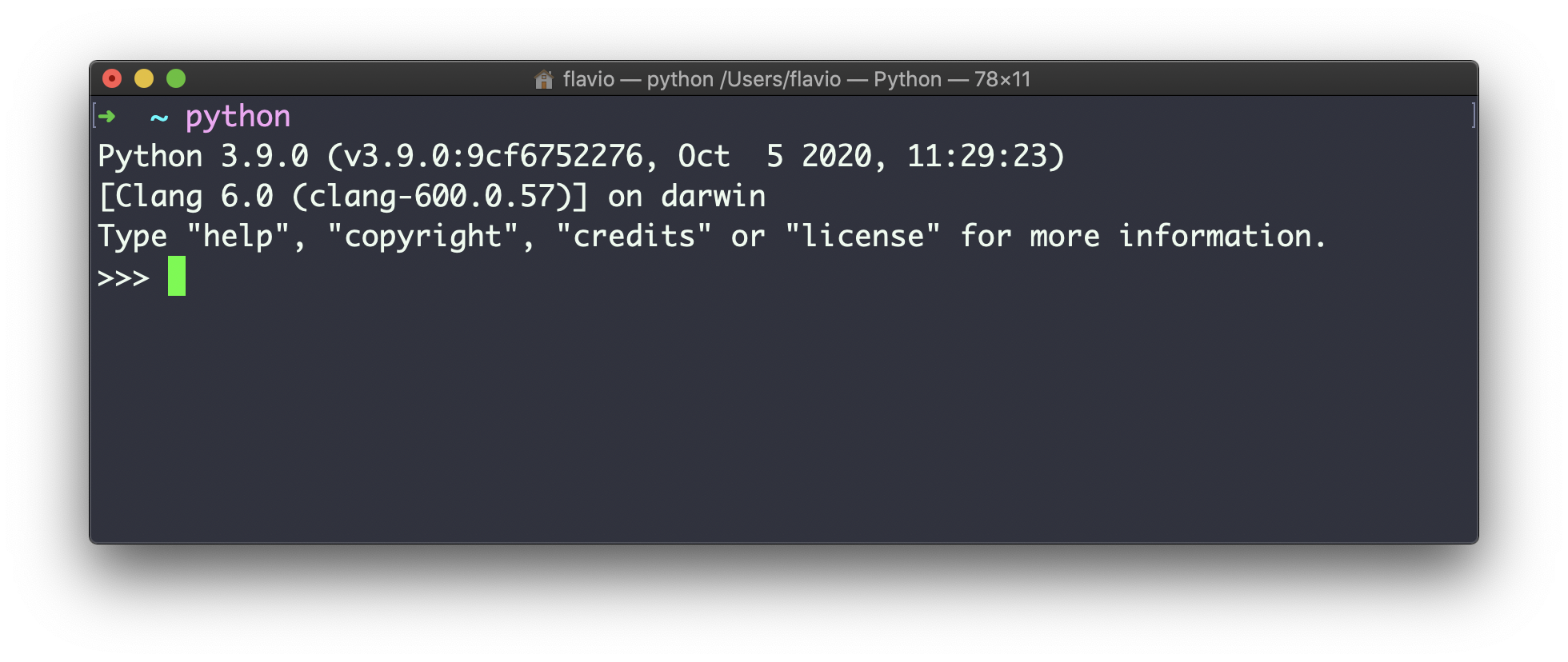
>>>symbol, and the cursor after that. You can type any Python code here, and press the enterkey to run it.name = "Flavio"print():print(name)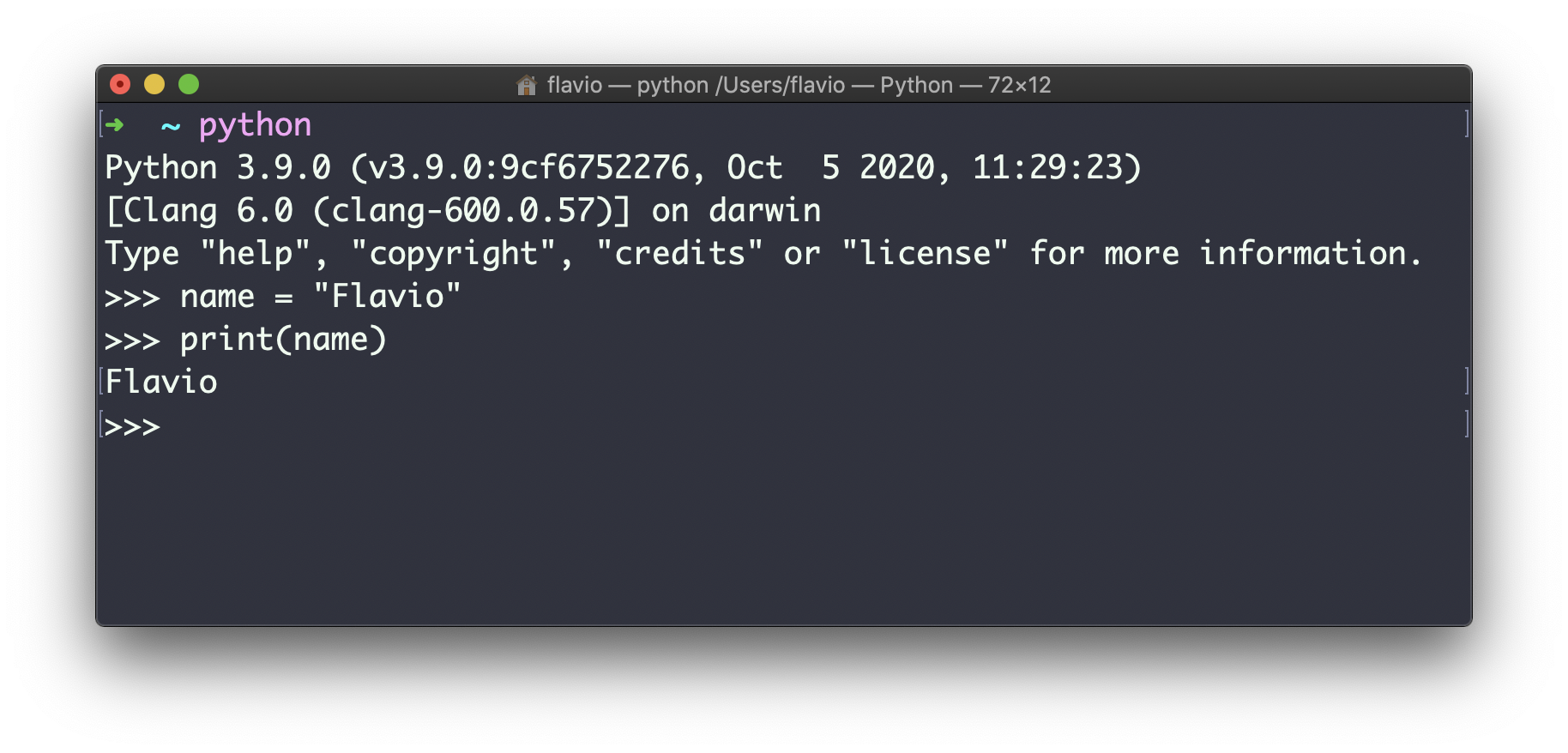
name, press the enterkey and you'll get the value back. But in a program, you are not going to see any output if you do so - you need to use print()instead.quit()to exit this Python REPL.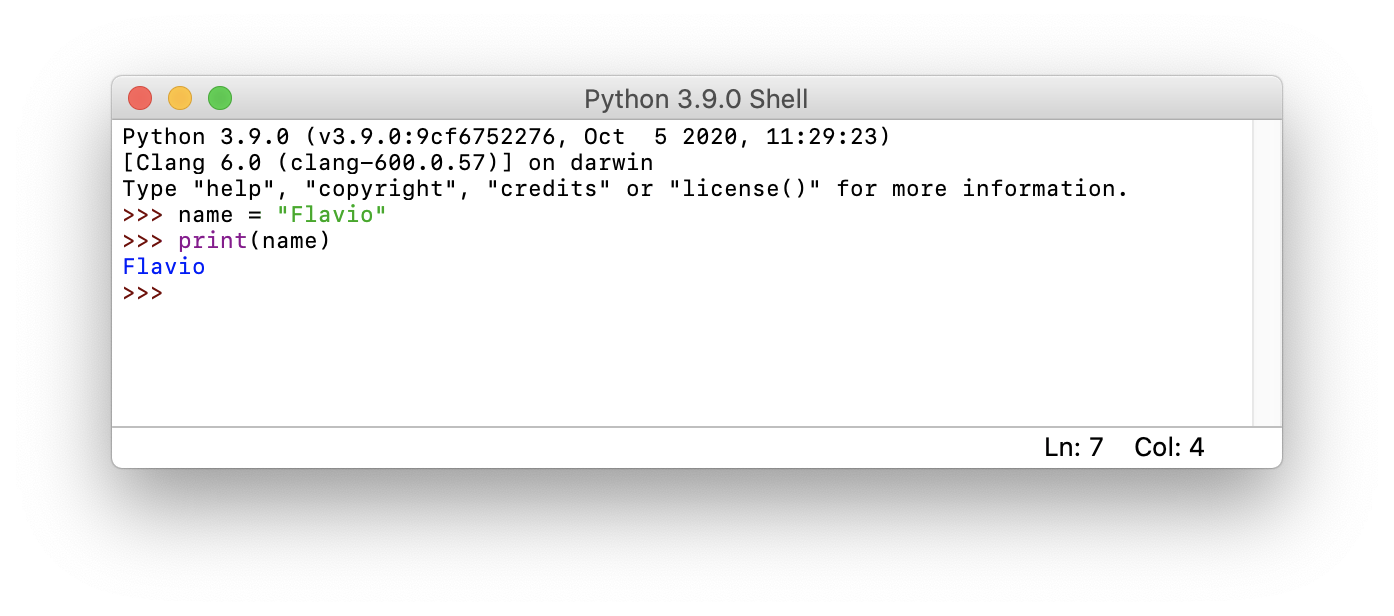
pip install ipythonipython: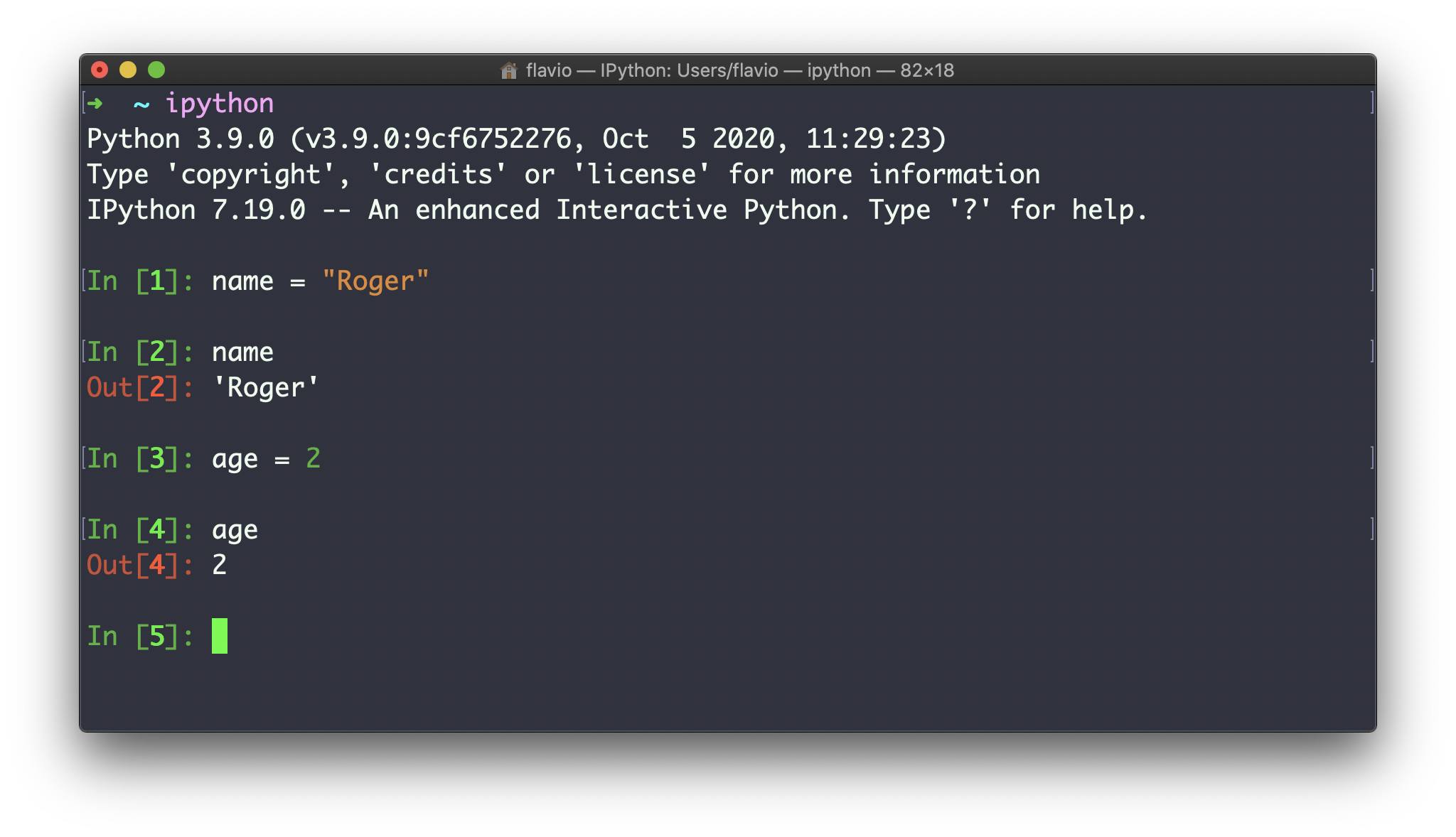
ipythonis another interface that lets you work with a Python REPL, and provides some nice features like syntax highlighting, code completion, and much more.program.py: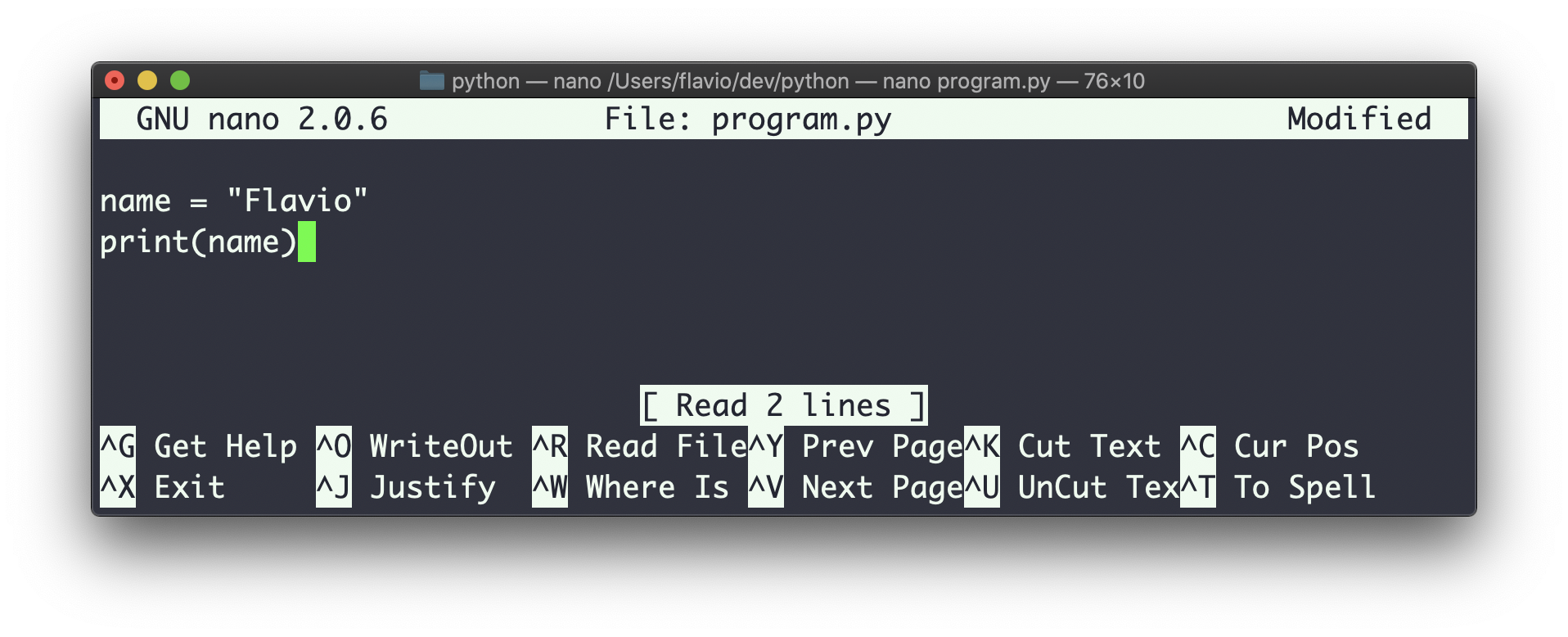
python program.py: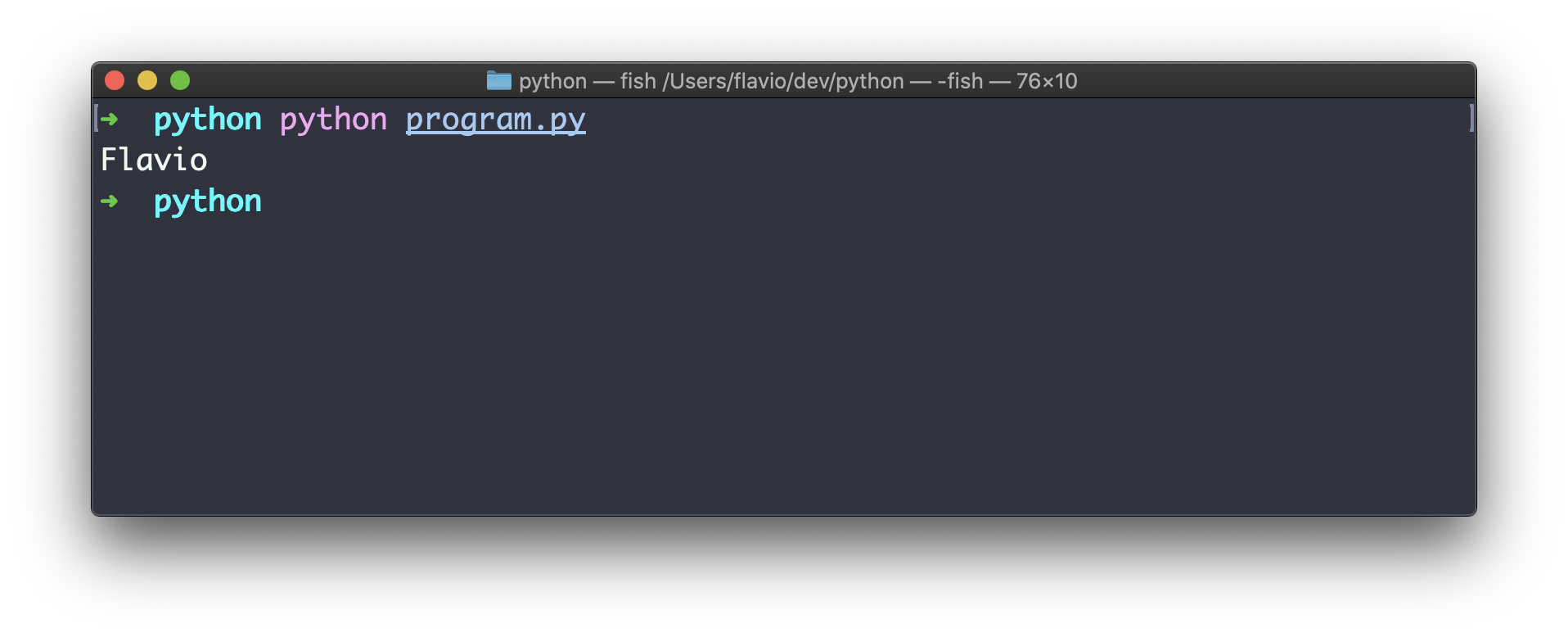
.pyextension - that's a convention./usr/bin/python3, so I type #!/usr/bin/python3in the first line: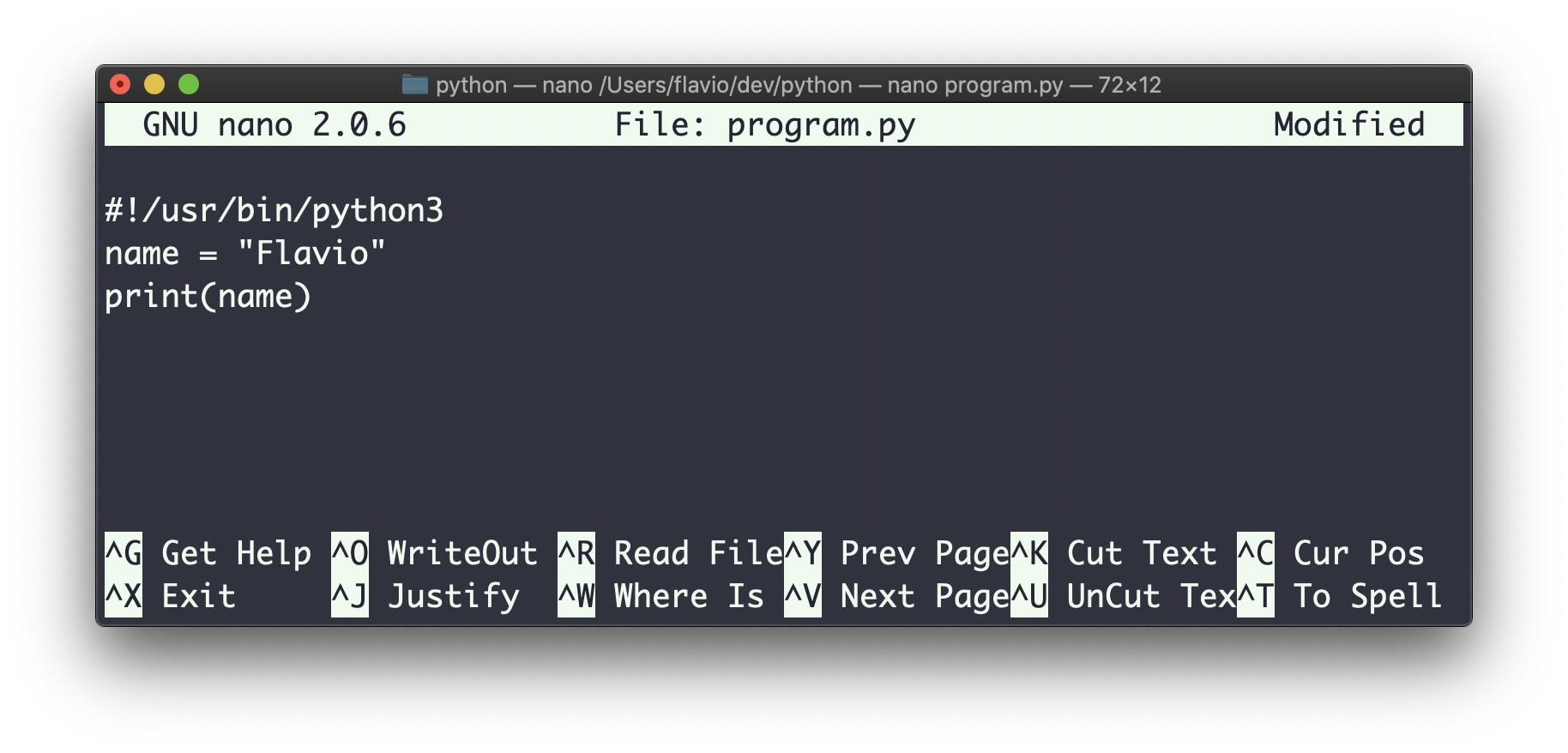
chmod u+x program.py./program.py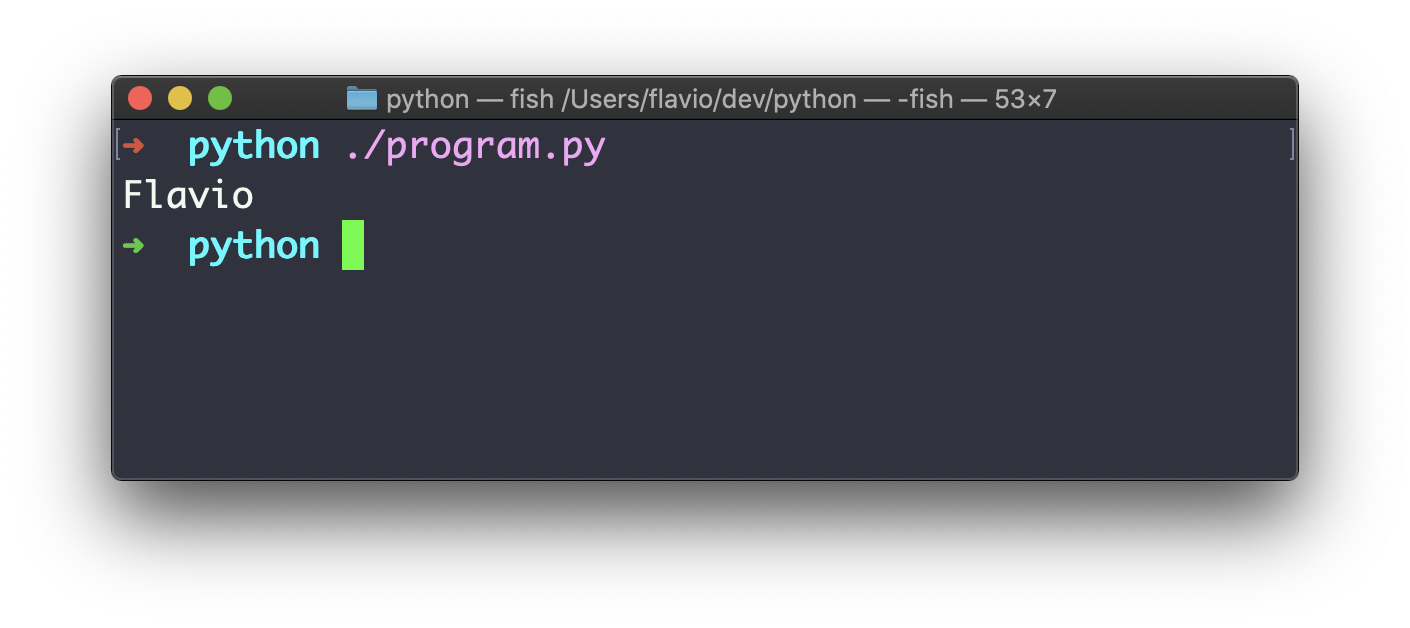
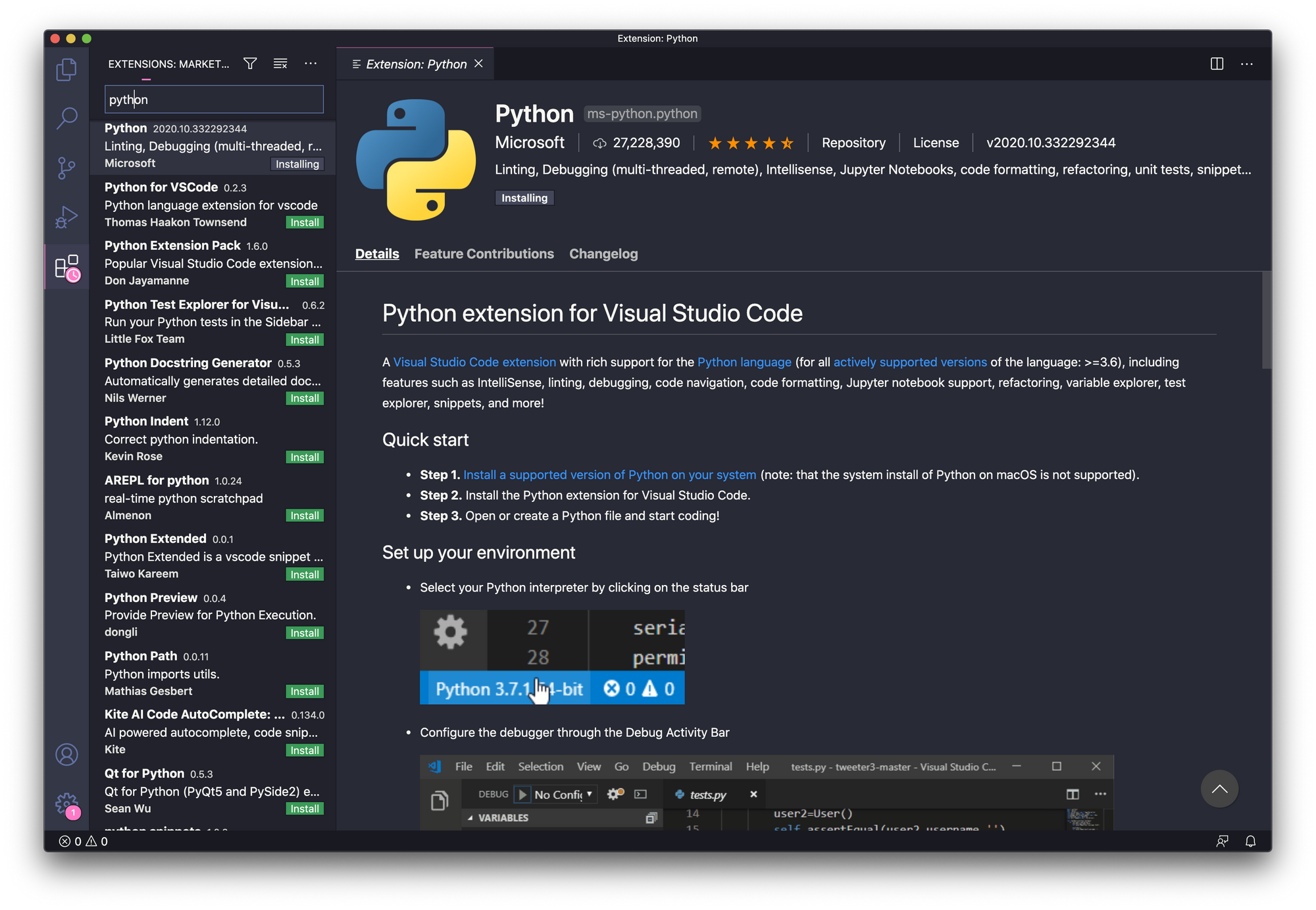
pylint, and some special commands, including: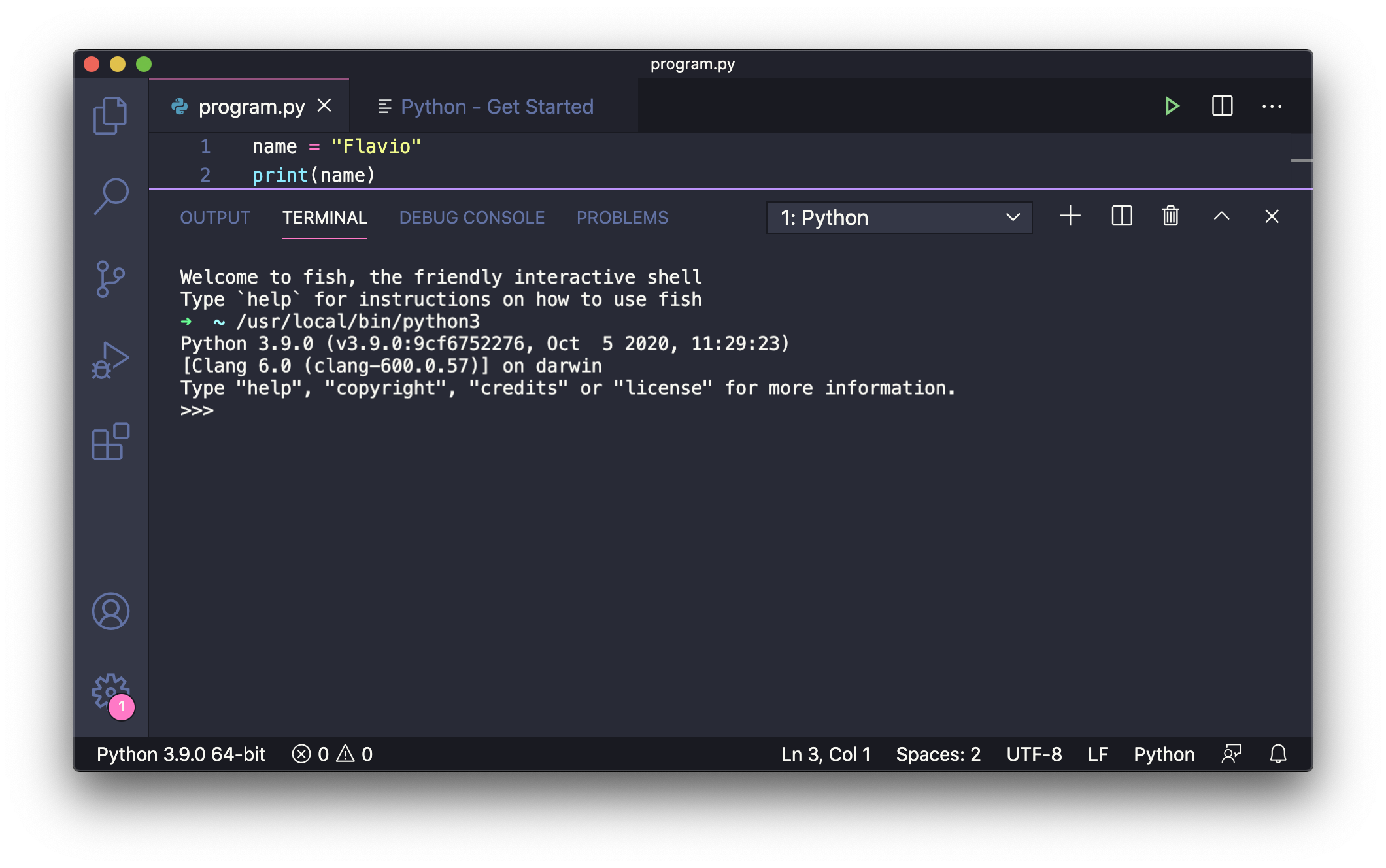
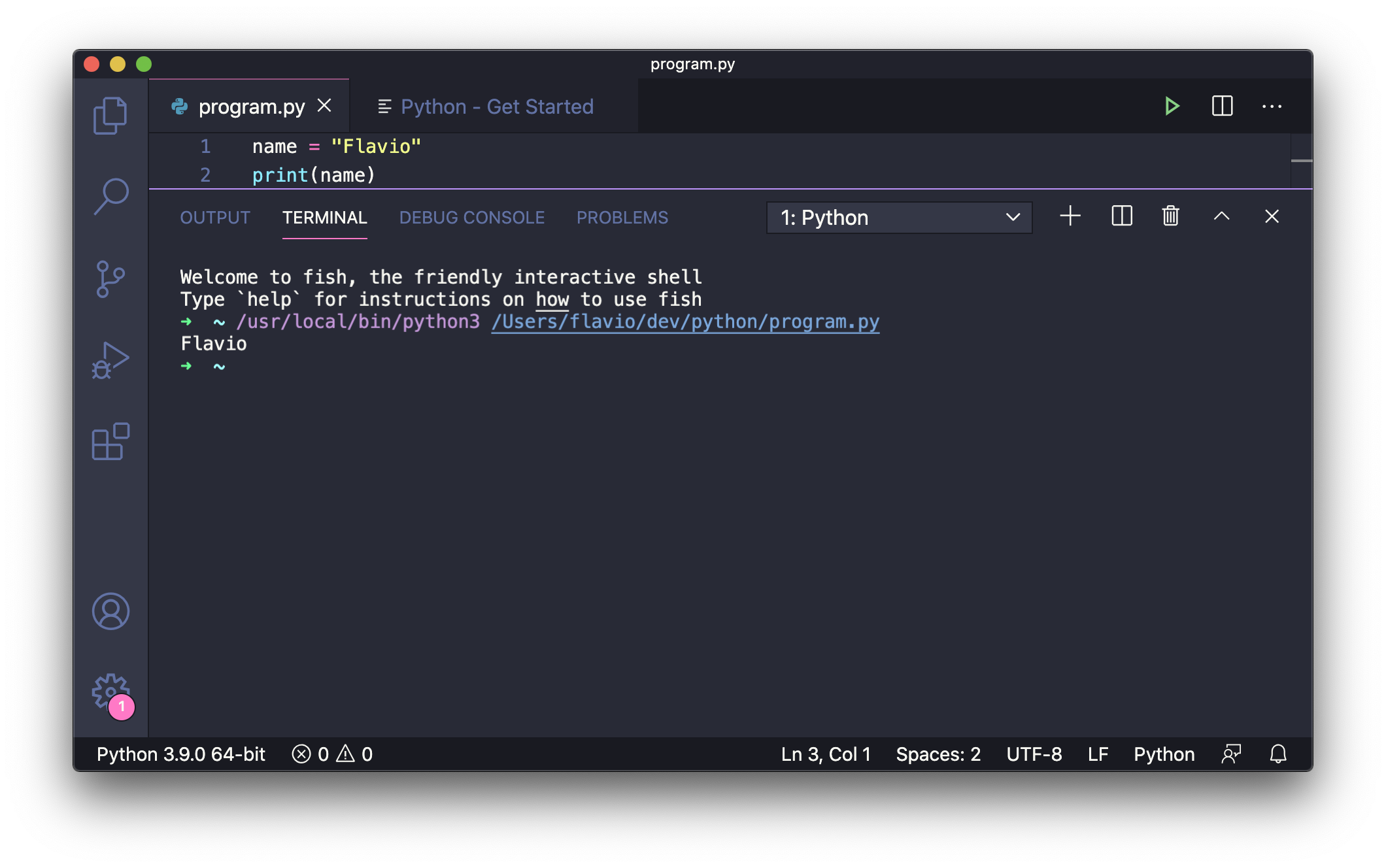
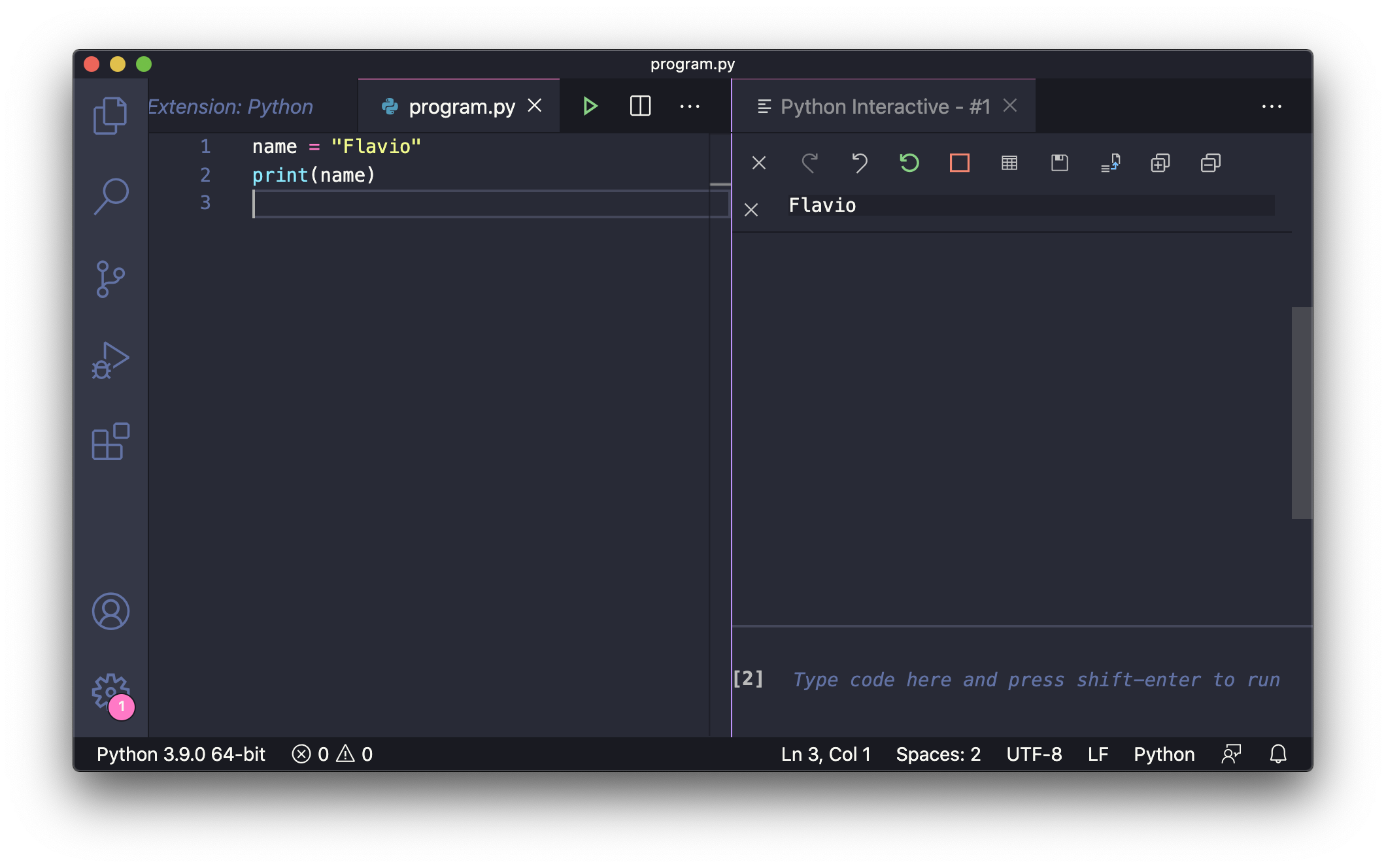
pythonto see all the Python-related commands: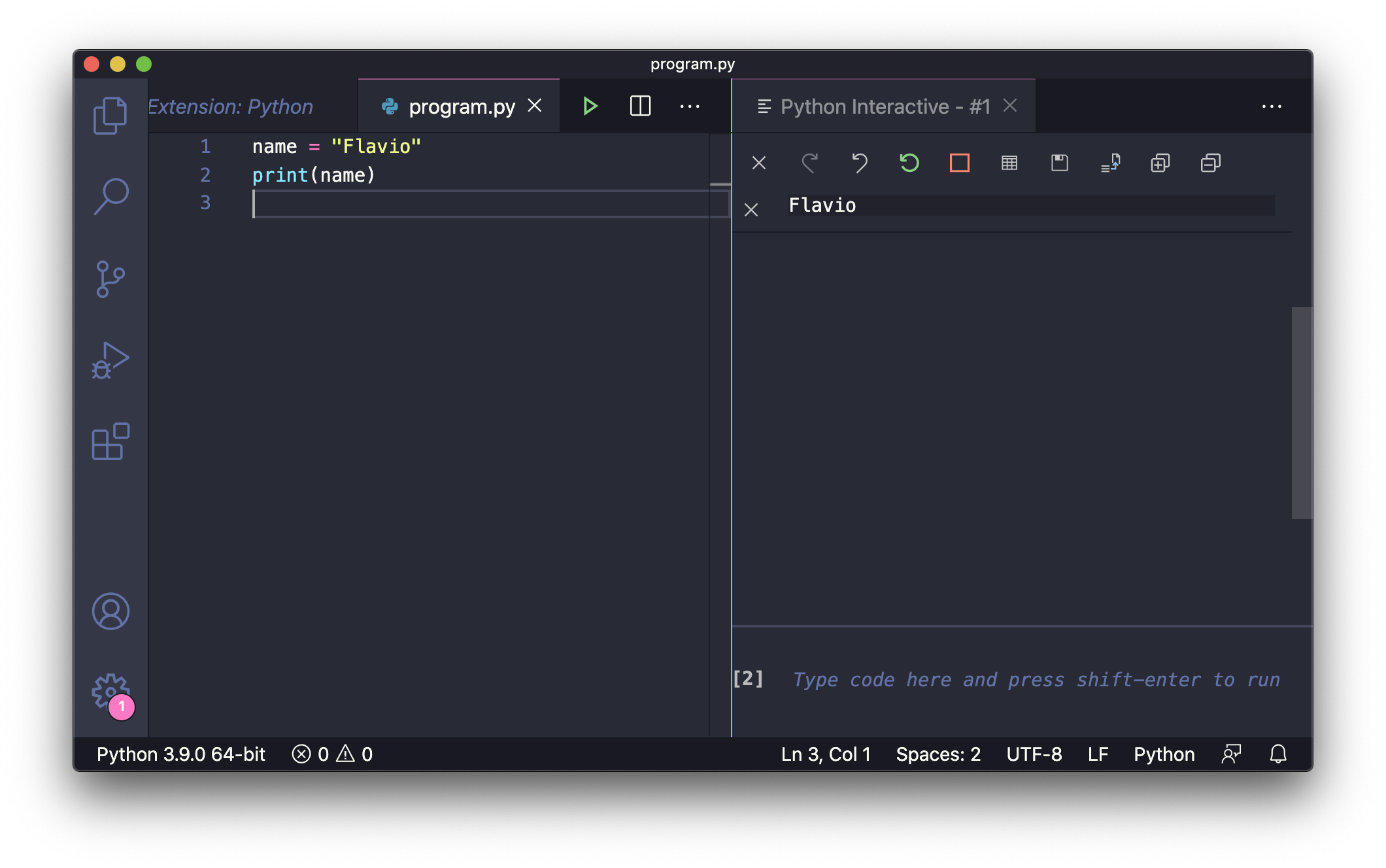
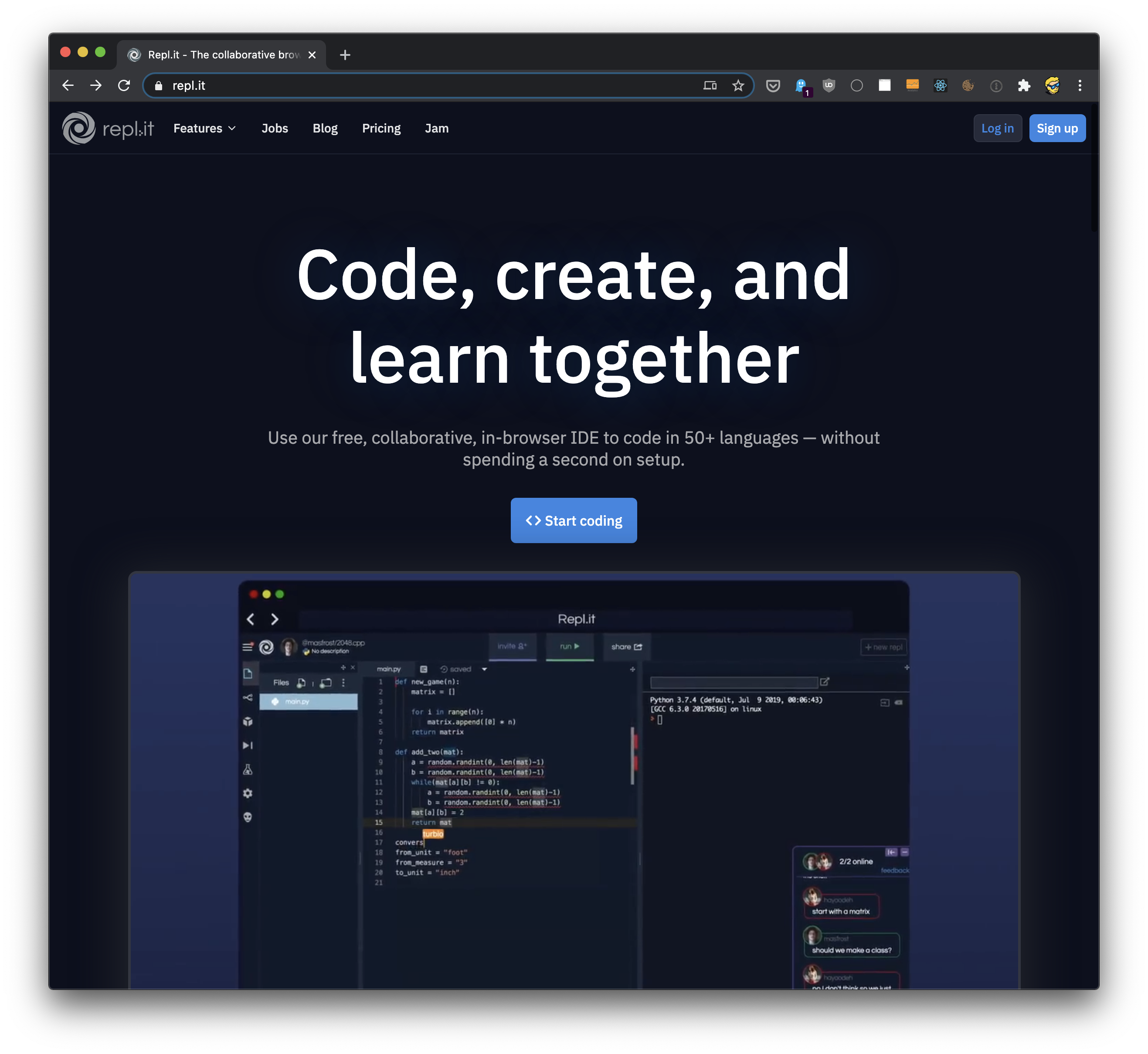
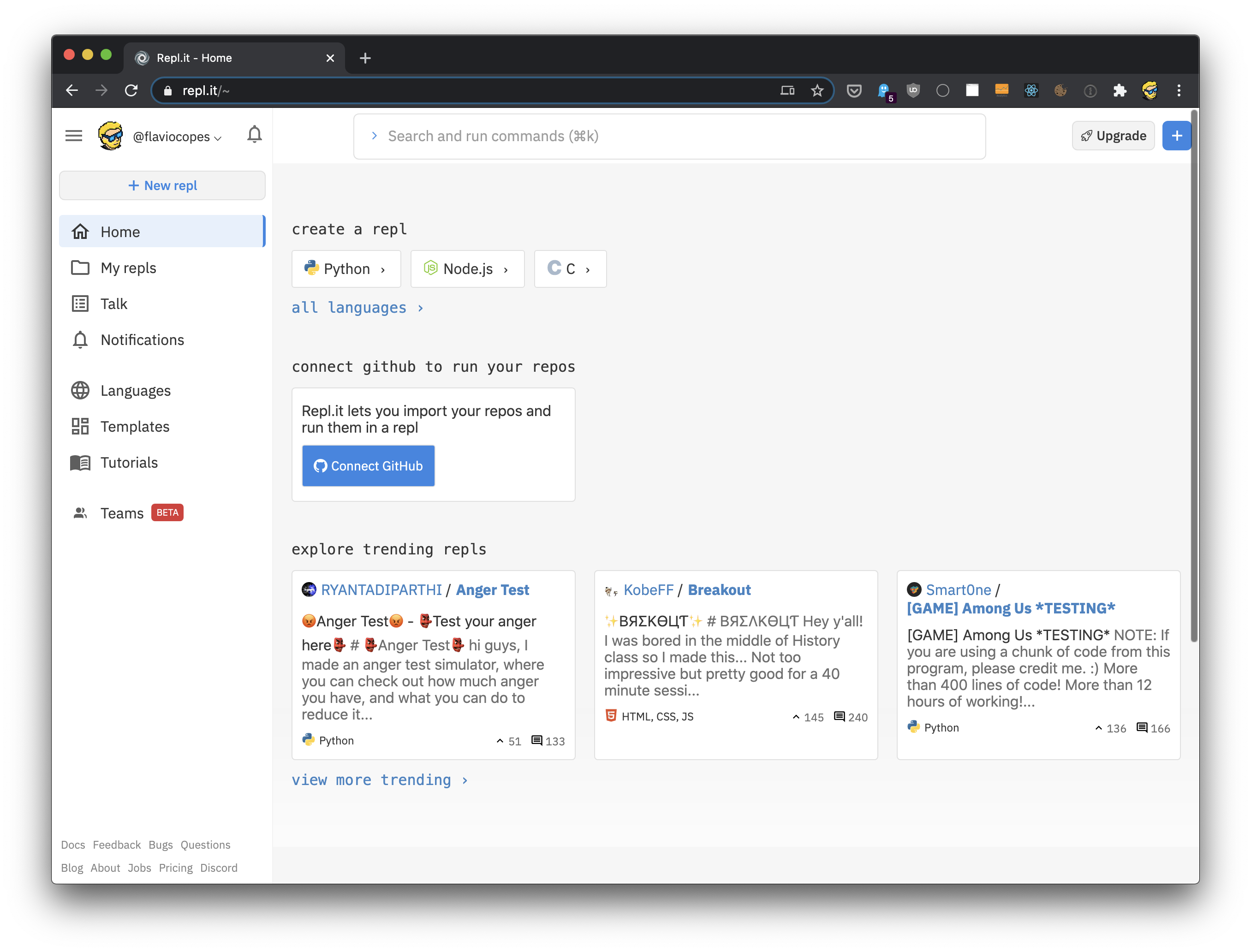
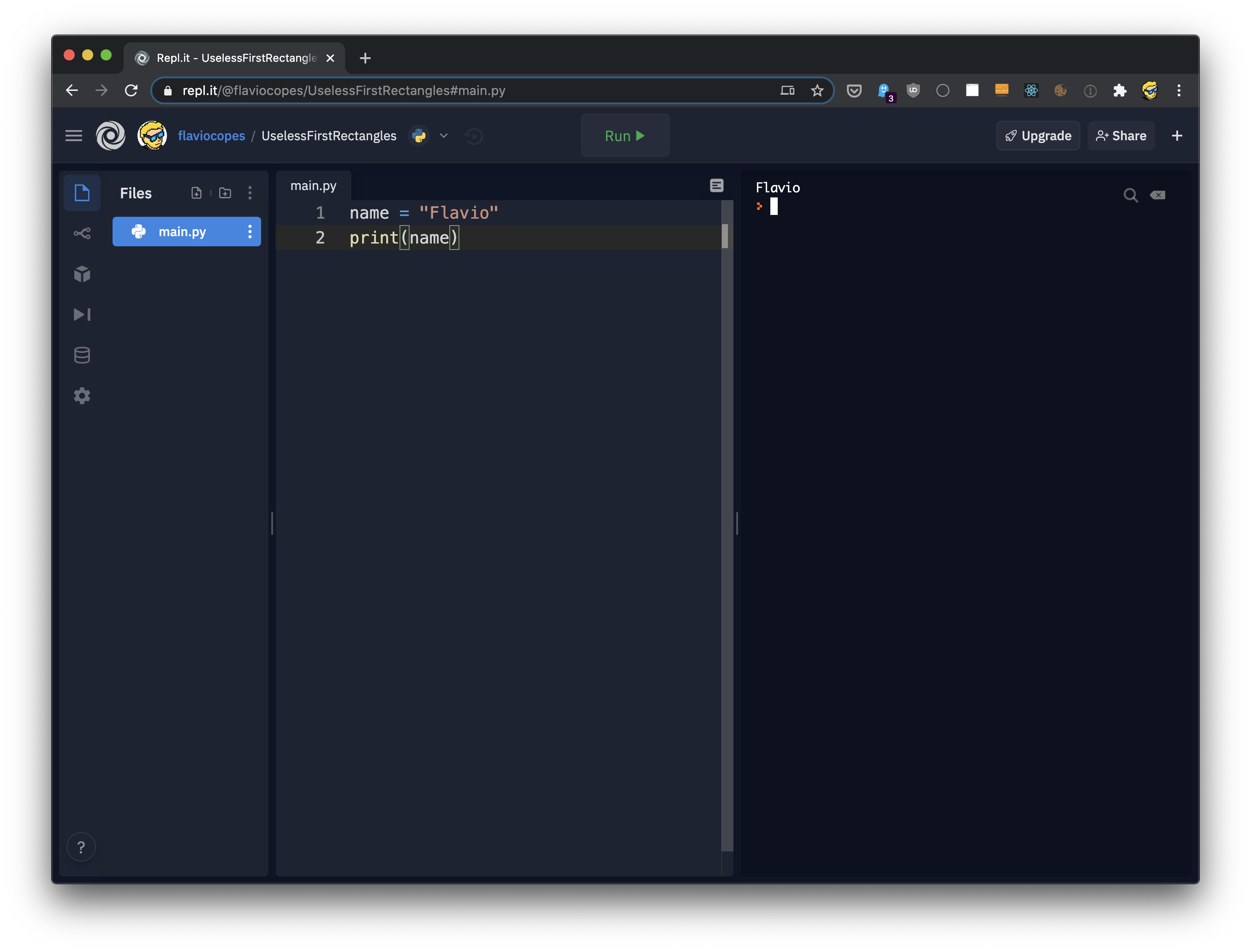
main.pyfile, ready to be filled with a lot of Python code: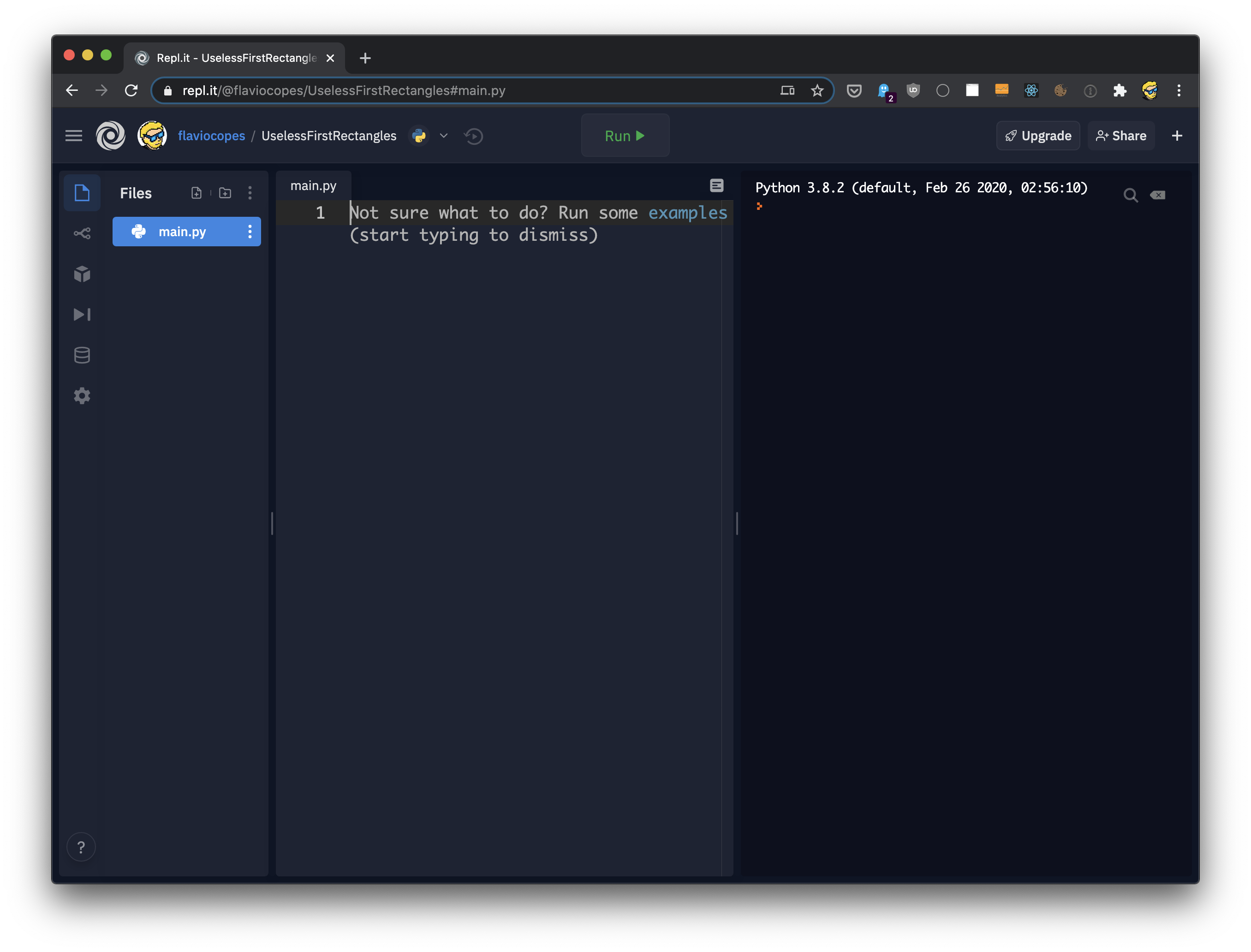
Python 2 vs Python 3
Python Basics
Variables in Python
=assignment operator.namelabel:name = "Roger"age = 8_underscore character. It can't start with a number. These are all validvariable names:name1AGEaGEa11111my_name_name123test!name%for, if, while, importand more.Expressions and statements in Python
1 + 1"Roger"name = "Roger"print(name)name = "Roger"; print(name)Comments
#this is a commented linename = "Roger" # this is an inline commentIndentation in Python
name = "Flavio" print(name)IndentationError: unexpected indenterror, because indenting has a special meaning.Data Types in Python
namevariable assigning it the value "Roger", automatically this variable now represents a Stringdata type.name = "Roger"type()function, passing the variable as an argument, and then comparing the result to str:name = "Roger"type(name) == str #Trueisinstance():name = "Roger"isinstance(name, str) #TrueTruevalue in Python, outside of a REPL, you need to wrap this code inside print(), but for clarity I avoid using it.strclass here, but the same works for other data types.intclass. Floating point numbers (fractions) are of type float:age = 1type(age) == int #Truefraction = 0.1type(fraction) == float #Truename = "Flavio"age = 20name = str("Flavio")anotherName = str(name)age = int("20")print(age) #20fraction = 0.1intFraction = int(fraction)print(intFraction) #0testinstead of 20in the above string, you'll get a ValueError: invalid literal for int() with base 10: 'test'error.complexfor complex numbersboolfor booleanslistfor liststuplefor tuplesrangefor rangesdictfor dictionariessetfor setsOperators in Python
isand in.Assignment operator in Python
age = 8age = 8anotherVariable = age:=walrus operatoris used to assign a value to a variable as part of another operation. For example inside an ifor in the conditional part of a loop. More on that later.Arithmetic operators in Python
+, -, *, /(division), %(remainder), **(exponentiation) and //(floor division):1 + 1 #22 - 1 #12 * 2 #44 / 2 #24 % 3 #14 ** 2 #164 // 2 #2-also works as a unary minus operator:print(-4) #-4+is also used to concatenate String values:"Roger" + " is a good dog"#Roger is a good dog+=-=*=/=%=age = 8age += 1# age is now 9Comparison operators in Python
==!=><>=<=Trueor False) depending on the result:a = 1b = 2a == b #Falsea != b #Truea > b #Falsea <= b #TrueBoolean operators in Python
notandorTrueor Falseattributes, those work like logical AND, OR and NOT, and are often used in the ifconditional expression evaluation:condition1 = Truecondition2 = Falsenot condition1 #Falsecondition1 and condition2 #Falsecondition1 or condition2 #Trueorused in an expression returns the value of the first operand that is not a falsy value (False, 0, '', []..). Otherwise it returns the last operand.print(0 or 1) ## 1print(False or 'hey') ## 'hey'print('hi' or 'hey') ## 'hi'print([] or False) ## 'False'print(False or []) ## '[]'if x is false, then y, else x.andonly evaluates the second argument if the first one is true. So if the first argument is falsy (False, 0, '', []..), it returns that argument. Otherwise it evaluates the second argument:print(0 and 1) ## 0print(1 and 0) ## 0print(False and 'hey') ## Falseprint('hi' and 'hey') ## 'hey'print([] and False ) ## []print(False and [] ) ## Falseif x is false, then x, else y.Bitwise operators in Python
&performs binary AND|performs binary OR^performs a binary XOR operation~performs a binary NOT operation<<shift left operation>>shift right operationisand inin Pythonisis called the identity operator. It is used to compare two objects and returns true if both are the same object. More on objects later.inis called the membership operator. Is used to tell if a value is contained in a list, or another sequence. More on lists and other sequences later.The Ternary Operator in Python
agevariable to the 18value, and returns True or False depending on the result.def is_adult(age): if age > 18: return True else: return Falsedef is_adult(age): return True if age > 18 else False<result_if_true> if <condition> else <result_if_false>Strings in Python
"Roger"'Roger'name = "Roger"+operator:phrase = "Roger" + " is a good dog"+=:name = "Roger"name += " is a good dog"print(name) #Roger is a good dogstrclass constructor:str(8) #"8"print("Roger is " + str(8) + " years old") #Roger is 8 years oldprint("""Roger is 8years old""")#double quotes, or single quotesprint('''Roger is 8years old''')isalpha()to check if a string contains only characters and is not emptyisalnum()to check if a string contains characters or digits and is not emptyisdecimal()to check if a string contains digits and is not emptylower()to get a lowercase version of a stringislower()to check if a string is lowercaseupper()to get an uppercase version of a stringisupper()to check if a string is uppercasetitle()to get a capitalized version of a stringstartsswith()to check if the string starts with a specific substringendswith()to check if the string ends with a specific substringreplace()to replace a part of a stringsplit()to split a string on a specific character separatorstrip()to trim the whitespace from a stringjoin()to append new letters to a stringfind()to find the position of a substringname = "Roger"print(name.lower()) #"roger"print(name) #"Roger"len(), which gives you the length of a string:name = "Roger"print(len(name)) #5inoperator lets you check if a string contains a substring:name = "Roger"print("ger" in name) #Truename = "Roger""Ro"Ger"will not work, as Python will think the string ends at "Ro".\backslash character:name = "Ro\"ger"\', and for special formatting characters like \tfor tab, \nfor new line and \\for the backslash.name = "Roger"name[0] #'R'name[1] #'o'name[2] #'g'name = "Roger"name[-1] #"r"name = "Roger"name[0:2] #"Ro"name[:2] #"Ro"name[2:] #"ger"Booleans in Python
booltype, which can have two values: Trueand False(capitalized).done = Falsedone = Trueifstatements:done = Trueif done: # run some code hereelse: # run some other codeTrueor False, if the value is not a boolwe have some rules depending on the type we're checking:Trueexcept for the number 0Falseonly when emptyFalseonly when emptydone = Truetype(done) == bool #Trueisinstance(), passing 2 arguments: the variable, and the boolclass:done = Trueisinstance(done, bool) #Trueany()function is also very useful when working with booleans, as it returns Trueif any of the values of the iterable (list, for example) passed as argument are True:book_1_read = Truebook_2_read = Falseread_any_book = any([book_1_read, book_2_read])all()function is same, but returns Trueif all of the values passed to it are True:ingredients_purchased = Truemeal_cooked = Falseready_to_serve = all([ingredients_purchased, meal_cooked])Numbers in Python
int, floatand complex.Integer numbers in Python
intclass. You can define an integer using a value literal:age = 8int()constructor:age = int(8)int, you can use the type()global function:type(age) == int #TrueFloating point numbers in Python
float. You can define an integer using a value literal:fraction = 0.1float()constructor:fraction = float(0.1)float, you can use the type()global function:type(fraction) == float #TrueComplex numbers in Python
complex.complexNumber = 2+3jcomplex()constructor:complexNumber = complex(2, 3)complexNumber.real #2.0complexNumber.imag #3.0complex, you can use the type()global function:type(complexNumber) == complex #TrueArithmetic operations on numbers in Python
+, -, *, /(division), %(remainder), **(exponentiation) and //(floor division):1 + 1 #22 - 1 #12 * 2 #44 / 2 #24 % 3 #14 ** 2 #164 // 2 #2+=-=*=/=%=age = 8age += 1Built-in Functions in Python
abs()returns the absolute value of a number.round()given a number, returns its value rounded to the nearest integer:round(0.12) #0round(0.12, 1) #0.1mathpackage provides general math functions and constantscmathpackage provides utilities to work with complex numbers.decimalpackage provides utilities to work with decimals and floating point numbers.fractionspackage provides utilities to work with rational numbers.Constants in Python
class Constants(Enum): WIDTH = 1024 HEIGHT = 256Constants.WIDTH.value.WIDTH = 1024Enums in Python
Enumfrom the enumstandard library module:from enum import Enumclass State(Enum): INACTIVE = 0 ACTIVE = 1State.INACTIVEand State.ACTIVE, and they serve as constants.State.ACTIVEfor example:print(State.ACTIVE)1, but State.ACTIVE.print(State(1))will return State.ACTIVE. Same for using the square brackets notation State['ACTIVE'].State.ACTIVE.value.list(State) # [<State.INACTIVE: 0>, <State.ACTIVE: 1>]len(State) # 2User Input in Python
print()function:name = "Roger"print(name)input():print('What is your age?')age = input()print('Your age is ' + age)enterkey.Control Statements in Python
Trueor Falsevalues.ifstatement:condition = Trueif condition == True: # do somethingTrue, like in the above case, its block gets executed.condition = Trueif condition == True: print("The condition") print("was true")condition = Trueif condition == True: print("The condition") print("was true")print("Outside of the if")ifyou can have an elseblock that's executed if the condition test of ifresults to False:condition = Trueif condition == True: print("The condition") print("was True")else: print("The condition") print("was False")ifchecks with elifthat's executed if the previous check was False:condition = Truename = "Roger"if condition == True: print("The condition") print("was True")elif name == "Roger": print("Hello Roger")else: print("The condition") print("was False")conditionis False, and the namevariable value is "Roger".ifstatement you can have just one ifand elsecheck, but multiple series of elifchecks:condition = Truename = "Roger"if condition == True: print("The condition") print("was True")elif name == "Roger": print("Hello Roger")elif name == "Syd": print("Hello Syd")elif name == "Flavio": print("Hello Flavio")else: print("The condition") print("was False")ifand elsecan also be used in an inline format, which lets us return one value or another based on a condition.a = 2result = 2 if a == 0 else 3print(result) # 3Lists in Python
dogs = ["Roger", "Syd"]items = ["Roger", 1, "Syd", True]inoperator:print("Roger" in items) # Trueitems = []items[0] # "Roger"items[1] # 1items[3] # Trueitems[0] = "Roger"index()method:items.index(0) # "Roger"items.index(1) # 1items[-1] # Trueitems[0:2] # ["Roger", 1]items[2:] # ["Syd", True]len()global function, the same we used to get the length of a string:len(items) #4append()method:items.append("Test")items.extend(["Test"])+=operator:items += ["Test"]# items is ['Roger', 1, 'Syd', True, 'Test']extend()or +=don't forget the square brackets. Don't do items += "Test"or items.extend("Test")or Python will add 4 individual characters to the list, resulting in ['Roger', 1, 'Syd', True, 'T', 'e', 's', 't']remove()method:items.remove("Test")items += ["Test1", "Test2"]#oritems.extend(["Test1", "Test2"])insert()method:items.insert("Test", 1) # add "Test" at index 1items[1:1] = ["Test1", "Test2"]sort()method:items.sort()TypeError: '<' not supported between instances of 'int' and 'str'if you try.sort()methods orders uppercase letters first, then lowercase letters. To fix this, use:items.sort(key=str.lower)itemscopy = items[:]sorted()global function:print(sorted(items, key=str.lower))Tuples in Python
names = ("Roger", "Syd")names[0] # "Roger"names[1] # "Syd"index()method:names.index('Roger') # 0names.index('Syd') # 1names[-1] # Truelen()function:len(names) # 2inoperator:print("Roger" in names) # Truenames[0:2] # ('Roger', 'Syd')names[1:] # ('Syd',)len()global function, the same we used to get the length of a string:len(names) #2sorted()global function:sorted(names)+operator:newTuple = names + ("Vanille", "Tina")Dictionaries in Python
dog = { 'name': 'Roger' }dog = { 'name': 'Roger', 'age': 8 }dog['name'] # 'Roger'dog['age'] # 8dog['name'] = 'Syd'get()method, which has an option to add a default value:dog.get('name') # 'Roger'dog.get('test', 'default') # 'default'pop()method retrieves the value of a key, and subsequently deletes the item from the dictionary:dog.pop('name') # 'Roger'popitem()method retrieves and removes the last key/value pair inserted into the dictionary:dog.popitem()inoperator:'name' in dog # Truekeys()method, passing its result to the list()constructor:list(dog.keys()) # ['name', 'age']values()method, and the key/value pairs tuples using the items()method:print(list(dog.values()))# ['Roger', 8]print(list(dog.items()))# [('name', 'Roger'), ('age', 8)]len()global function, the same we used to get the length of a string or the items in a list:len(dog) #2dog['favorite food'] = 'Meat'delstatement:del dog['favorite food']dogCopy = dog.copy()Sets in Python
frozenset.names = { "Roger", "Syd"}set1 = { "Roger", "Syd"}set2 = { "Roger"}intersect = set1 & set2 #{ 'Roger'}set1 = { "Roger", "Syd"}set2 = { "Luna"}union = set1 | set2#{ 'Syd', 'Luna', 'Roger'}set1 = { "Roger", "Syd"}set2 = { "Roger"}difference = set1 - set2 #{ 'Syd'}set1 = { "Roger", "Syd"}set2 = { "Roger"}isSuperset = set1 > set2 # Truelen()global function:names = { "Roger", "Syd"}len(names) # 2list()constructor:names = { "Roger", "Syd"}list(names) #['Syd', 'Roger']inoperator:print("Roger" in names) # TrueFunctions in Python
hellothat prints "Hello!":def hello(): print('Hello!')hello) and a body, the set of instructions, which is the part that follows the colon. It's indented one level on the right.hello()hello, is very important. It should be descriptive, so anyone calling it can imagine what the function does.def hello(name): print('Hello ' + name + '!')hello('Roger')def hello(name='my friend'): print('Hello ' + name + '!')hello()#Hello my friend!def hello(name, age): print('Hello ' + name + ', you are ' + str(age) + ' years old!')hello('Roger', 8)def change(value): value = 2val = 1change(val)print(val) #1returnstatement. For example in this case we return the nameparameter name:def hello(name): print('Hello ' + name + '!') return namereturnstatement, the function ends.def hello(name): print('Hello ' + name + '!') returndef hello(name): if not name: return print('Hello ' + name + '!')False, like an empty string, the function is terminated before reaching the print()statement.def hello(name): print('Hello ' + name + '!') return name, 'Roger', 8hello('Syd')the return value is a tuple containing those 3 values: ('Syd', 'Roger', 8).Objects in Python
int:age = 8agenow has access to the properties and methods defined for all intobjects.print(age.real) # 8print(age.imag) # 0print(age.bit_length()) #4# the bit_length() method returns the number of bits necessary to represent this number in binary notationitems = [1, 2]items.append(3)items.pop()id()global function provided by Python lets you inspect the location in memory for a particular object.id(age) # 140170065725376age = 8print(id(age)) # 140535918671808age = 9print(id(age)) # 140535918671840items = [1, 2]print(id(items)) # 140093713593920items.append(3)print(items) # [1, 2, 3]print(id(items)) # 140093713593920intis immutable. There are no methods to change its value. If you increment the value usingage = 8age = age + 1#orage += 1id(age), you will find that agepoints to a different memory location. The original value has not mutated, we just switched to another value.Loops in Python
whileloops in Pythonwhileloops are defined using the whilekeyword, and they repeat their block until the condition is evaluated as False:condition = Truewhile condition == True: print("The condition is True")condition = Truewhile condition == True: print("The condition is True") condition = Falseprint("After the loop")True. At the second iteration, the condition test evaluates to False, so the control goes to the next instruction after the loop.count = 0while count < 10: print("The condition is True") count = count + 1print("After the loop")forloops in Pythonforloops we can tell Python to execute a block for a pre-determined amount of times, up front, and without the need of a separate variable and conditional to check its value.items = [1, 2, 3, 4]for item in items: print(item)range()function:for item in range(04): print(item)range(4)creates a sequence that starts from 0 and contains 4 items: [0, 1, 2, 3].enumerate()function:items = [1, 2, 3, 4]for index, item in enumerate(items): print(index, item)Break and continue in Python
whileand forloops can be interrupted inside the block, using two special keywords: breakand continue.continuestops the current iteration and tells Python to execute the next one.breakstops the loop altogether, and goes on with the next instruction after the loop ends.1, 3, 4. The second example prints 1:items = [1, 2, 3, 4]for item in items: if item == 2: continue print(item)items = [1, 2, 3, 4]for item in items: if item == 2: break print(item)Classes in Python
class <class_name>: # my classclass Dog: # the Dog classclass Dog: # the Dog class def bark(self): print('WOF!')selfas the argument of the method points to the current object instance, and must be specified when defining a method.roger = Dog()rogeris a new object of type Dog.print(type(roger))<class '__main__.Dog'>__init__()is called constructor, and we can use it to initialize one or more properties when we create a new object from that class:class Dog: # the Dog class def __init__(self, name, age): self.name = name self.age = age def bark(self): print('WOF!')roger = Dog('Roger', 8)print(roger.name) # 'Roger'print(roger.age) # 8roger.bark() # 'WOF!'walk():class Animal: def walk(self): print('Walking..')class Dog(Animal): def bark(self): print('WOF!')Dogwill have the walk()method as that's inherited from Animal:roger = Dog()roger.walk() # 'Walking..'roger.bark() # 'WOF!'Modules in Python
dog.pycontains this code:def bark(): print('WOF!')import. And once we do, we can reference the function using the dot notation, dog.bark():import dogdog.bark()from .. importsyntax and call the function directly:from dog import barkbark()dog.pyin a libsubfolder.__init__.py. This tells Python the folder contains modules.dogfrom lib:from lib import dogdog.bark()dogmodule specific function importing from lib.dog:from lib.dog import barkbark()The Python Standard Library
mathfor math utilitiesrefor regular expressionsjsonto work with JSONdatetimeto work with datessqlite3to use SQLiteosfor Operating System utilitiesrandomfor random number generationstatisticsfor statistics utilitiesrequeststo perform HTTP network requestshttpto create HTTP serversurllibto manage URLsimport mathmath.sqrt(4) # 2.0from math import sqrtsqrt(4) # 2.0The PEP8 Python Style Guide
Debugging in Python
pdb, available through the standard library.breakpoint()nto step to the next line in the current function. If the code calls functions, the debugger does not get into them, and considers them "black boxes".sto step to the next line in the current function. If the next line is a function, the debugger goes into that, and you can then run one instruction of that function at a time.cto continue the execution of the program normally, without the need to do it step-by-step.qto stop the execution of the program.Variable Scope in Python
age = 8def test(): print(age)print(age) # 8test() # 8def test(): age = 8 print(age)test() # 8print(age)# NameError: name 'age' is not definedHow to Accept Arguments from the Command Line in Python
python <filename>.pypython <filename>.py <argument1>python <filename>.py <argument1> <argument2>sysmodule from the standard library.sys.argvlist:import sysprint(len(sys.argv))print(sys.argv)sys.argvlist contains as the first item the name of the file that was run, for example ['main.py'].argparse.argparseand you call argparse.ArgumentParser(), passing the description of your program:import argparseparser = argparse.ArgumentParser( description='This program prints the name of my dogs')-coption to pass a color, like this: python program.py -c redimport argparseparser = argparse.ArgumentParser( description='This program prints a color HEX value')parser.add_argument('-c', '--color', metavar='color', required=True, help='the color to search for')args = parser.parse_args()print(args.color) # 'red'➜ python python program.pyusage: program.py [-h] -c colorprogram.py: error: the following arguments are required: -cchoices:parser.add_argument('-c', '--color', metavar='color', required=True, choices={ 'red','yellow'}, help='the color to search for')➜ python python program.py -c blueusage: program.py [-h] -c colorprogram.py: error: argument -c/--color: invalid choice: 'blue' (choose from 'yellow', 'red')Lambda Functions in Python
lambdakeyword:lambda <arguments> : <expression>lambda num : num * 2lambda a, b : a * bmultiply = lambda a, b : a * bprint(multiply(2, 2)) # 4map(), filter()and reduce().Recursion in Python
nmutiplied by n-1, multiplied by n-2... and so on, until reaching the number 1:3! = 3 * 2 * 1 = 64! = 4 * 3 * 2 * 1 = 245! = 5 * 4 * 3 * 2 * 1 = 120def factorial(n): if n == 1: return 1 return n * factorial(n-1)print(factorial(3)) # 6print(factorial(4)) # 24print(factorial(5)) # 120factorial()function you call factorial(n)instead of factorial(n-1), you are going to cause an infinite recursion. Python by default will halt recursions at 1000 calls, and when this limit is reached, you will get a RecursionErrorerror.Nested Functions in Python
def talk(phrase): def say(word): print(word) words = phrase.split(' ') for word in words: say(word)talk('I am going to buy the milk')nonlocal:def count(): count = 0 def increment(): nonlocal count count = count + 1 print(count) increment()count()Closures in Python
def counter(): count = 0 def increment(): nonlocal count count = count + 1 return count return incrementincrement = counter()print(increment()) # 1print(increment()) # 2print(increment()) # 3increment()inner function, and that still has access to the state of the countvariable even though the counter()function has ended.Decorators in Python
@symbol followed by the decorator name, just before the function definition.@logtimedef hello(): print('hello!')hellofunction has the logtimedecorator assigned.hello(), the decorator is going to be called.def logtime(func): def wrapper(): # do something before val = func() # do something after return val return wrapperDocstrings in Python
# this is a commentnum = 1 #this is another commentdef increment(n): """Increment a number""" return n + 1class Dog: """A class representing a dog""" def __init__(self, name, age): """Initialize a new dog""" self.name = name self.age = age def bark(self): """Let the dog bark""" print('WOF!')dog.py:"""Dog moduleThis module does ... bla bla bla and provides the following classes:- Dog..."""class Dog: """A class representing a dog""" def __init__(self, name, age): """Initialize a new dog""" self.name = name self.age = age def bark(self): """Let the dog bark""" print('WOF!')def increment(n): """Increment a number """ return n + 1help()global function to get the documentation for a class/method/function/module.help(increment)will give you this:Help on function increment in module__main__:increment(n) Increment a numberIntrospection in Python
help()global function we can get the documentation if provided in form of docstrings.def increment(n): return n + 1print(increment)# <function increment at 0x7f420e2973a0>class Dog(): def bark(self): print('WOF!')roger = Dog()print(roger)# <__main__.Dog object at 0x7f42099d3340>type()function gives us the type of an object:print(type(increment))# <class 'function'>print(type(roger))# <class '__main__.Dog'>print(type(1))# <class 'int'>print(type('test'))# <class 'str'>dir()global function lets us find out all the methods and attributes of an object:print(dir(roger))# ['__class__', '__delattr__', '__dict__', '__dir__', '__doc__', '__eq__', '__format__', '__ge__', '__getattribute__', '__gt__', '__hash__', '__init__', '__init_subclass__', '__le__', '__lt__', '__module__', '__ne__', '__new__', '__reduce__', '__reduce_ex__', '__repr__', '__setattr__', '__sizeof__', '__str__', '__subclasshook__', '__weakref__', 'bark']id()global function shows us the location in memory of any object:print(id(roger)) # 140227518093024print(id(1)) # 140227521172384inspectstandard library module gives us more tools to get information about objects, and you can check it out here: https://docs.python.org/3/library/inspect.htmlAnnotations in Python
def increment(n): return n + 1def increment(n: int) -> int: return n + 1count: int = 0mypycan be run standalone, or integrated by IDE like VS Code or PyCharm to automatically check for type errors statically, while you are coding. It will also help you catch type mismatch bugs before even running the code.Exceptions in Python
try:block:try: # some lines of codeexceptblocks:try: # some lines of codeexcept <ERROR1>: # handler <ERROR1>except <ERROR2>: # handler <ERROR2>exceptwithout any error type:try: # some lines of codeexcept <ERROR1>: # handler <ERROR1>except: # catch all other exceptionselseblock is run if no exceptions were found:try: # some lines of codeexcept <ERROR1>: # handler <ERROR1>except <ERROR2>: # handler <ERROR2>else: # no exceptions were raised, the code ran successfullyfinallyblock lets you perform some operation in any case, regardless of whether an error occurred or not:try: # some lines of codeexcept <ERROR1>: # handler <ERROR1>except <ERROR2>: # handler <ERROR2>else: # no exceptions were raised, the code ran successfullyfinally: # do something in any caseEOFError. If you divide a number by zero you will get a ZeroDivisionError. If you have a type conversion issue you might get a TypeError.result = 2 / 0print(result)Traceback (most recent call last): File "main.py", line 1, in <module> result = 2 / 0ZeroDivisionError: division by zerotry:block lets us recover gracefully and move on with the program:try: result = 2 / 0except ZeroDivisionError: print('Cannot divide by zero!')finally: result = 1print(result) # 1raisestatement:raise Exception('An error occurred!')try: raise Exception('An error occurred!')except Exception as error: print(error)class DogNotFoundException(Exception): passpasshere means "nothing" and we must use it when we define a class without methods, or a function without code, too.try: raise DogNotFoundException()except DogNotFoundException: print('Dog not found!')The
withStatement in Pythonwithstatement is very helpful to simplify working with exception handling.withmakes this process transparent.filename = '/Users/flavio/test.txt'try: file = open(filename, 'r') content = file.read() print(content)finally: file.close()filename = '/Users/flavio/test.txt'with open(filename, 'r') as file: content = file.read() print(content)close()will be called automatically for us.withis not just helpful to work with files. The above example is just meant to introduce its capabilities.How to Install 3rd Party Packages in Python Using
pippip.pipalready installed if you followed the Python installation instructions.pip install:pip install <package>python -m:python -m pip install <package>requestspackage, a popular HTTP library:pip install requests/Library/Frameworks/Python.framework/Versions/3.9/lib/python3.9/site-packages.pip install –U <package>pip install <package>==<version>pip uninstall <package>pip show <package>List Comprehensions in Python
numbers = [1, 2, 3, 4, 5]numberslist elements, power 2:numbers_power_2 = [n**2 for n in numbers]# [1, 4, 9, 16, 25]numbers_power_2 = []for n in numbers: numbers_power_2.append(n**2)map():numbers_power_2 = list(map(lambda n : n**2, numbers))Polymorphism in Python
class Dog: def eat(): print('Eating dog food')class Cat: def eat(): print('Eating cat food')eat()method regardless of the class the object belongs to, and we'll get different results:animal1 = Dog()animal2 = Cat()animal1.eat()animal2.eat()Operator Overloading in Python
class Dog: # the Dog class def __init__(self, name, age): self.name = name self.age = ageroger = Dog('Roger', 8)syd = Dog('Syd', 7)ageproperty:class Dog: # the Dog class def __init__(self, name, age): self.name = name self.age = age def __gt__(self, other): return True if self.age > other.age else Falseprint(roger > syd)you will get the result True.__gt__()(which means greater than), we can define the following methods:__eq__()to check for equality__lt__()to check if an object should be considered lower than another with the <operator__le__()for lower or equal (<=)__ge__()for greater or equal (>=)__ne__()for not equal (!=)__add__()respond to the +operator__sub__()respond to the –operator__mul__()respond to the *operator__truediv__()respond to the /operator__floordiv__()respond to the //operator__mod__()respond to the %operator__pow__()respond to the **operator__rshift__()respond to the >>operator__lshift__()respond to the <<operator__and__()respond to the &operator__or__()respond to the |operator__xor__()respond to the ^operatorVirtual Environments in Python
venv. Other tools work similarly, like pipenv.python -m venv .venvsource .venv/bin/activatesource .venv/bin/activate.fishon the Fish shell➜ folder(.venv) ➜ folderpipwill use this virtual environment instead of the global environment.Conclusion
- 最近发表
-
- The Express + Node.js Handbook – Learn the Express JavaScript Framework for Beginners
- How to Run Private Text
- Bhavin Sheth
- software architecture
- Command Line for Beginners – How to Use the Terminal Like a Pro [Full Handbook]
- JavaScript
- Beau Carnes
- Mohammed Fahd Abrah
- Competition Management Tools
- How to Run Private Text
- 随机阅读
-
- Learn JavaScript for Beginners – JS Basics Handbook
- Machine Learning
- Beau Carnes
- Bhavin Sheth
- JavaScript
- Geopolitical Risk Isn't One Thing. I Built a Python Framework to Prove It
- How to Build a Case Converter Tool Using HTML, CSS, and JavaScript
- Shola Jegede
- Web Development
- How to Build a Case Converter Tool Using HTML, CSS, and JavaScript
- Microservices
- Shola Jegede
- @function
- Shola Jegede
- Shola Jegede
- Geopolitical Risk Isn't One Thing. I Built a Python Framework to Prove It
- The REST API Handbook – How to Build, Test, Consume, and Document REST APIs
- Bhavin Sheth
- Manish Shivanandhan
- langchain
- 搜索
-