|
AI tools have become commonplace these days, and you may use them daily. One of the key ways to secure your confidential data – both personal and business-related – is by running your own AI on your own infrastructure. This guide will explain how to host an open source LLM on your computer. Doing this helps make sure you don’t compromise your data to third-party companies through cloud-based AI solutions. Prerequisites
What is an LLM?LLMs, or Large Language Models, are advanced AI systems that are trained to understand and generate natural human-readable language. They use algorithms to process and understand natural language and are trained on large amounts of information to understand patterns and relationships in the data. Companies like OpenAI, Anthropic, and Meta have created LLMs that you can use to perform tasks such as generating content, analyzing code, planning trips, and so on. Cloud-Based AI vs. Self-Hosted AIBefore deciding to host an AI model locally, it’s important to understand how this approach differs from cloud-based solutions. Both options have their strengths and are suited to different use cases. Cloud-Based AI SolutionsThese services are hosted and maintained by providers like OpenAI, Google, or AWS. Examples include OpenAI’s GPT models, Google Bard, and AWS SageMaker. You access these models over the internet using APIs or their endpoints. Key Characteristics:
Self-Hosted AIWith this approach, you run the model on your own hardware. Open-source LLMs like Llama 2, GPT-J, or Mistral can be downloaded and hosted using tools like Ollama. Key Characteristics:
Which Should You Choose?If you need quick and scalable access to advanced models and don’t mind sharing data with a third party, cloud-based AI solutions are likely the better option. On the other hand, if data security, customization, or cost savings are top priorities, hosting an LLM locally could be the way to go. How Can You Run LLMs Locally on Your Machine?There are various solutions out there that let you run certain open source LLMs on your own infrastructure. While most locally-hosted solutions focus on open-source LLMs—such as Llama 2, GPT-J, or Mistral—there are cases where proprietary or licensed models can also be run locally, depending on their terms of use.
Just remember that if you run your own LLM, you’ll need a powerful computer (with a good GPU and CPU). In case your computer is not very powerful, you can try running smaller and more lightweight models, though it can still be slow. Here’s an example of a suitable system setup that I am using for this guide:
In this guide, you’ll be using Ollama to download and run AI models on your PC. What is Ollama?Ollama is a tool designed to simplify the process of running open-source large language models (LLMs) directly on your computer. It acts as a local model manager and runtime, handling everything from downloading the model files to setting up a local environment where you can interact with them. Here’s what Ollama helps you do:
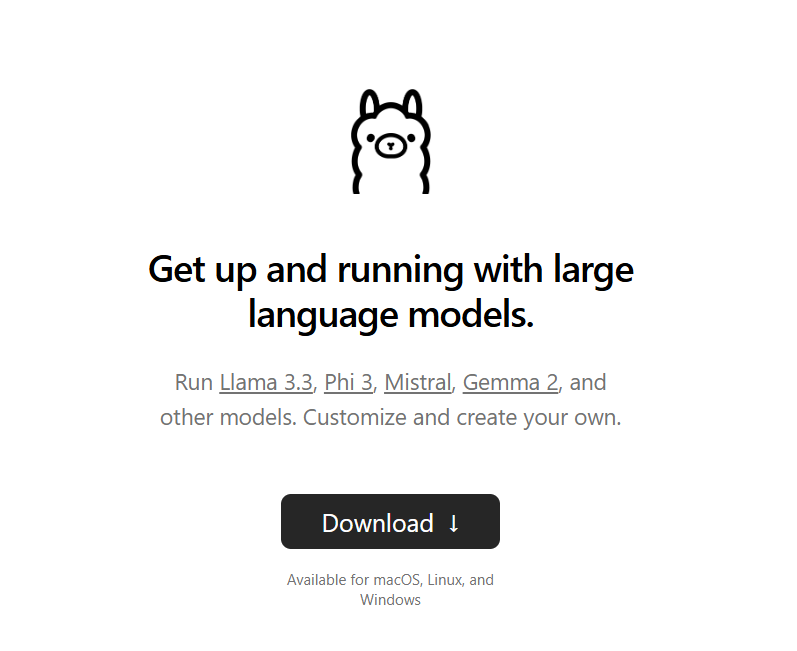
By using Ollama, you don’t need to dive deep into the complexities of setting up machine learning frameworks or managing dependencies. It simplifies the process, especially for those who want to experiment with LLMs without needing a deep technical background. You can install Ollama very easily through the Downloadbutton in their website.
How to Use Ollama to Install/Run Your ModelAfter you have installed Ollama, follow these steps to install and use your model:
You have successfully installed your model and now you can chat with it! Building a Chatbot with Your Newly Installed ModelWith open source models running in your own infrastructure, you have a lot of freedom to alter and use the model any way you like. You can even use it to build local chatbots or applications for personal use by using the Now let’s walk through how you can build a chatbot with it in Python in just a few minutes. Step 1: Install PythonIf you don’t already have Python installed, download and install it from the official Python website. For best compatibility, avoid using the most recent Python version, as some modules may not yet fully support it. Instead, select the latest stable version (generally the one before the most recent release) to ensure smooth functioning of all required modules. While setting up Python, make sure to give the installer admin privileges and check the Add to PATHcheckbox. Step 2: Install OllamaNow, you need to open a new terminal window in the directory where the file is saved. You can open the directory in the File Explorer and right click, then click on Open in Terminal(Open with Command Promptor Powershellif you’re using Windows 10 or a previous version). Type Step 3: Add the Python CodeGo ahead and create a Python file with the Now, add this code in your Python File: If you don’t understand Python code, here’s what it basically does:
Step 4: Write PromptsNow go back to the terminal window and type You should see a prompt saying You can even install the module for JavaScript or any other supported language and integrate the AI in your code. Feel free to check the Ollama Official Documentation and understand what can you code with the AI Models. How to Customize Your Models with Fine-TuningWhat is Fine-Tuning?Fine-tuning is the process of taking a pre-trained language model and training it further on a specific and custom dataset for a specific purpose. While LLMs are trained on massive datasets, they may not always perfectly align with your needs. Fine-tuning allows you to make the model better suited for your particular use case. How to Fine-Tune a ModelFine-tuning requires:
For fine tuning your model, there are several tools you can use. Unsloth is a fast option to fine-tune a model with any datasets. What Are the Benefits of Self-hosted LLMs?As I’ve briefly discussed above, there are various reasons to self-host an LLM. To summarize, here are some of the top benefits:
When Should You NOT Use a Self-hosted AI?But this might not be the right fit for you for several reasons. First, you may not have the system resources required to be able to run the models – and perhaps you don’t want to or can’t upgrade. Second, you may not have the technical knowledge or time to set up your own model and fine tune it. It’s not terribly difficult, but it does require some background knowledge and particular skills. This can also be a problem if you don’t know how to troubleshoot errors that may come up. You also may need your models to be up 24/7, and you might not have the infrastructure to handle it. None of these issues are insurmountable, but they may inform your decision as to whether you use a cloud-based solution or host your own model. ConclusionHosting your own LLMs can be a game-changer if you value data privacy, cost-efficiency, and customization. Tools like Ollama make it easier than ever to bring powerful AI models right to your personal infrastructure. While self-hosting isn't without its challenges, it gives you control over your data and the flexibility to adapt models to your needs. Just make sure you assess your technical capabilities, hardware resources, and project requirements before deciding to go this way. If you need reliability, scalability, and quick access to cutting-edge features, cloud-based LLMs might still be the better fit. If you liked this article, don’t forget to show your support, and follow me on X and LinkedIn to get connected. Also, I create short but informative tech content on YouTube, so don’t forget to check out my content. Thanks for reading this article! |